

How to open Wise and withdraw funds in Ukraine in 2026 - a guide for sole proprietors and companies


You received $1,000 from a foreign client, transferred it through a bank - and suddenly only $930 shows up in your account. Where did the $70 go? Into fees, currency conversions, and other “technical details” the bank quietly didn’t mention. Sound familiar? If you work with clients from the US, Europe, or Canada, Wise (formerly TransferWise) is a way to receive payments at the real mid-market exchange rate.
In this article, we’ll break down how this British fintech giant works in 2026, how to legally withdraw foreign currency to a Ukrainian card, and how much you can realistically save.
Wise works in Ukraine, but what you actually get depends not on your passport - it depends on the address the account is registered to. That is the single fact most reviews leave out, and it is where the advice that does not work comes from.
Below are three real scenarios - a personal account with a Ukrainian address, Wise Business for a US company, and the case where you have relocated. For each one we cover what the service gives you, what it does not, and how it looks from the tax office side.
| What exactly | Ukrainian address | US company (LLC) | You moved to the EEA |
|---|---|---|---|
| Hold a balance | no | yes | yes |
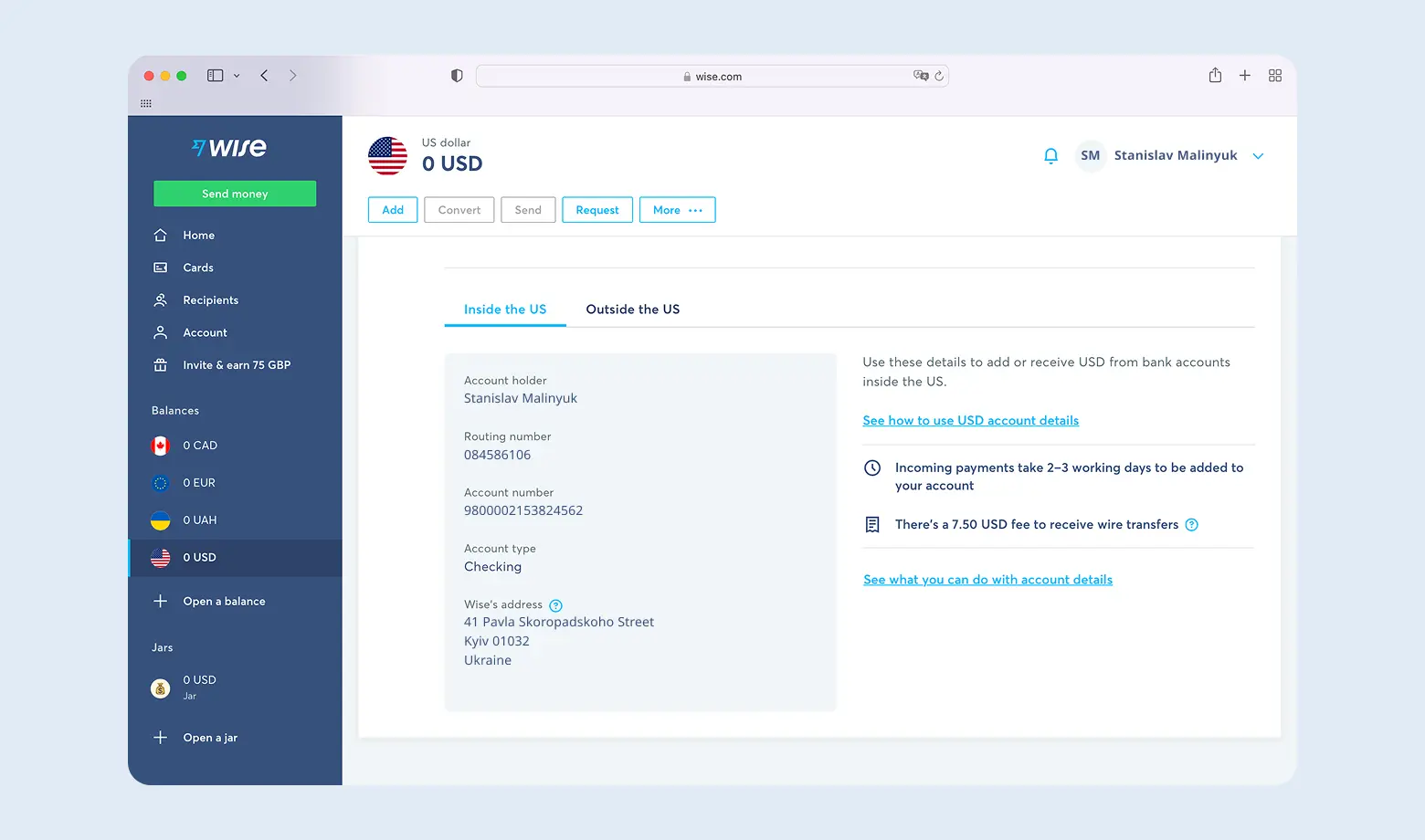
| Own USD account details | no | yes, 22 currencies for a one-off 31 USD | yes |
| Wise card | no, neither physical nor virtual | yes, physical shipped within the US only | yes, to an EEA address |
| Business account | effectively no | yes, this is the standard product | - |
| Receive money on a Ukrainian card | yes, to an IBAN | not directly | - |
What is Wise and how the international transfer system works
Wise is not a bank in the classic sense, it is a multi-currency platform. The core idea is the mid-market rate. Where a bank adds a hidden 3-5% markup to the exchange rate, Wise charges a transparent transfer fee instead. The service quotes only the lower bound, "from 0.4%", and does not publish an upper one - the exact amount is visible in the calculator before you confirm.
How does it work? Instead of physically moving currency across borders (which is expensive and slow), Wise uses a system of local accounts.
- The sender puts dollars into a local Wise account in their own country.
- Wise pays out hryvnia to you through a local partner in Ukraine.
- Technically these are two local transfers, not one expensive international SWIFT.
One nuance specific to hryvnia - Wise states plainly that the UAH rate is set by a Ukrainian partner, and that the "send UAH" route is not live. Hryvnia can only be received.

The result is faster, cheaper and more transparent. A Wise card is also an option, but not in every scenario - details are in the sections on the Ukrainian address and on the US company.
Why do millions of users choose this service? According to Trustpilot, as of September 2026 Wise holds a 4.3 out of 5 rating. Users value the absence of hidden charges that banks often "forget" to mention. Wise advertises transfers to more than 140 countries and work with more than 50 currencies - but a customer with a Ukrainian address cannot hold a balance in any of them.
The main advantage is transparency. No account opening fee, no monthly maintenance, no hidden conversion charges. You pay a single transfer fee and you see it before you confirm the operation. Ordinary banks bury 2-4% of "invisible" cost in the exchange rate, Wise does not. On a $1,000 transfer that is $20-40 saved compared with a bank.
On the downside - there is no 24/7 support in Ukrainian, there are restrictions on cash operations, and full access requires identity verification (KYC).
Wise vs banks and PayPal: where fees are lower and rates are better
The mechanism is simple. Wise holds accounts in many countries, so when you make a transfer the money does not physically cross the border. The sender pays dollars into the US Wise account, and you collect hryvnia from the Ukrainian one. Some transactions clear within minutes.
If you receive payments from foreign clients regularly, the question is not only fees but the structure you work through. Most often that is a group 3 sole proprietor with a foreign currency account. The tax load here has three parts, not one - 5% single tax, 1% military levy on the same income, and social contributions for yourself (UAH 1,902.34 a month in 2026). Assuming "5% and that is it" is the common mistake.
What the Wise fee depends on
The fee floats and depends on three factors:
- Currency pair - some routes are cheaper (USD → EUR), others more expensive (USD → UAH)
- Recipient country - transfers within the EU cost less than to Africa or Asia
- Transfer speed - an express transfer in a few hours costs more than a 2-3 day one
On average it works out at 1-2.5% of the amount.
Here is a comparison. Someone sends you $1,000 to a Ukrainian hryvnia account. How much do you receive?
The gap is around UAH 900 - hidden losses on the rate that PayPal does not call a "fee".
The figures are illustrative and use the NBU rate on 19.09.2026. The rate changes daily, so always check the calculator on the Wise website before sending.
Rate guarantee
When you create a transfer Wise locks the conversion rate - officially between 2 and 48 hours depending on the currency. Complete the payment within that window and the rate is guaranteed even if the interbank moves. This does not apply to hryvnia: Wise states directly that it cannot guarantee the exchange rate for transfers to UAH.
How long does Wise take?
Wise is one of the fastest services. Speed depends on the method the sender chooses:
- Up to a few hours - paying by card or through Apple Pay or Google Pay.
- 1-2 business days - a transfer from a bank account.
The platform shows the expected delivery time before the transfer is confirmed, so the sender knows straight away whether the money arrives tonight or on Monday morning.
Receiving payments via Wise? We will set up your accounting properly
Foreign currency inflows have their own specifics. We will set up your accounting so you can work calmly with international clients and not worry about audits or account blocks.
Step-by-step Wise registration for Ukrainians
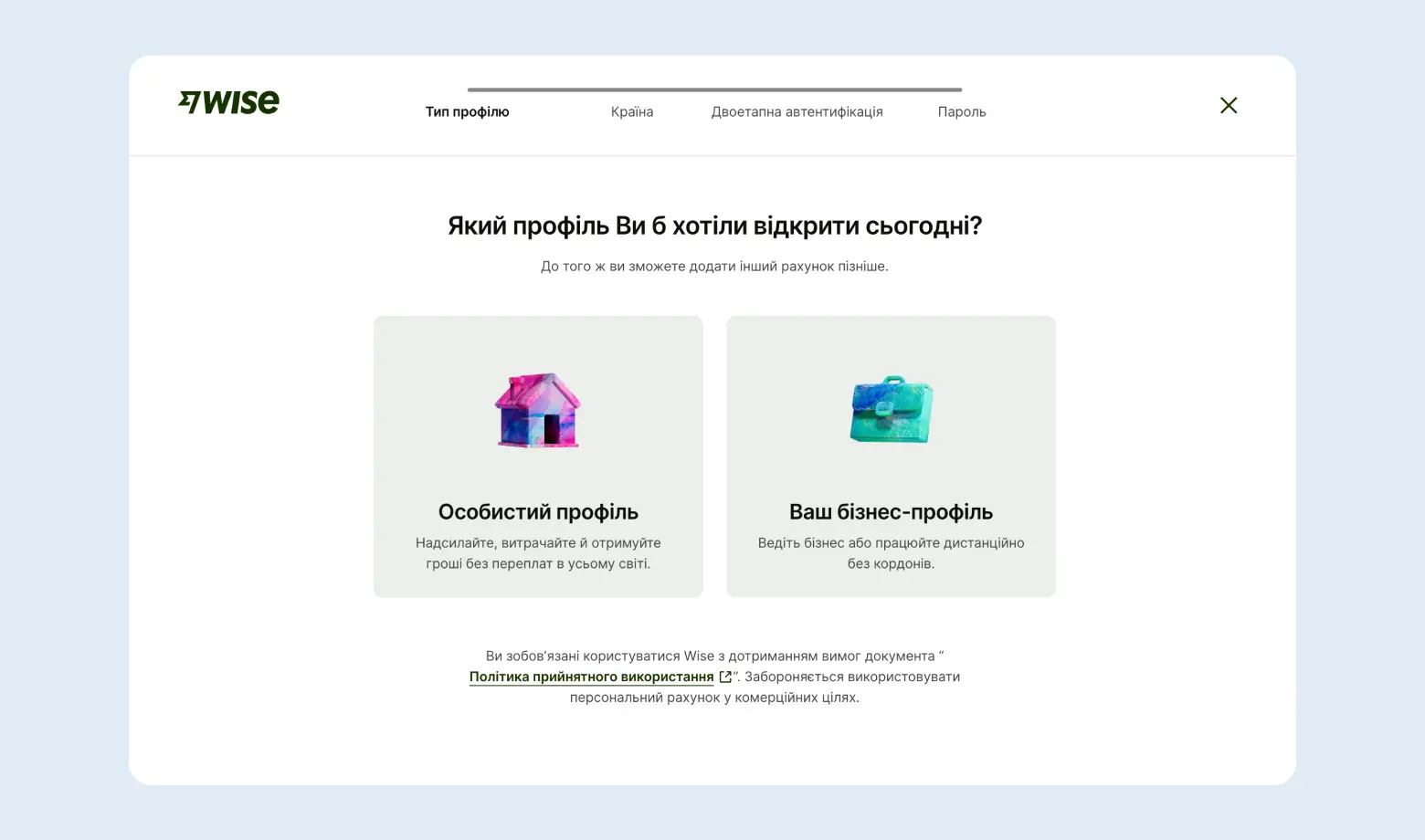
Registration is simple but needs attention to detail. If you plan to receive business income, choosing the right profile type matters.
Step 1. Registration and profile type. Go to wise.com and click "Register".
- Email - an address you actually control.
- Account type - Personal for your own transfers and fees, Business for a company.
Step 2. Country and phone verification. Select your country of residence, then enter a phone number - an SMS code will arrive. That is your two-factor authentication.
Step 3. Identity verification. Wise is a financial institution, so you have to prove who you are.
- Documents - a photo of your international passport or driving licence (an ID card is also accepted).
- Selfie - the system may ask for a photo of your face through the phone camera.
- Time - usually between 30 minutes and 24 hours.
Step 4. Linking a Ukrainian account. This is where our guide differs from most others. There is no "activate your account details for $25" step for a Ukrainian profile, and there are no account details either. You enter your IBAN at a Ukrainian bank - that is where Wise will deliver hryvnia.
What exactly is unavailable with a Ukrainian address. Wise states plainly: "You can't get USD account details if your address is in… Ukraine", and Ukraine is absent from the list of countries where you can hold money at all. Everything else follows from that - no multi-currency balance, no USD or EUR account details of your own, and no Wise card, because the card is tied to the balance, which rules out both physical and virtual versions.
Scenario 1. A personal account with a Ukrainian address
Say you are a designer who has just finished a project for a client in the US. The client is ready to send $800. For a profile with a Ukrainian address there is exactly one working route - the client pays from their Wise to your Ukrainian IBAN.
That last point breaks the most popular example on the internet. $800 at September 2026 rates is about UAH 35,700, which does not fit the UAH 29,999 cap at Monobank. Either split the amount, or use PrivatBank, or look at a different scenario.
Another consequence of the business account ban is that you cannot move foreign currency revenue through Wise straight to a sole proprietor account. This is not a technicality - it is exactly why some entrepreneurs move to Payoneer or to a US company.
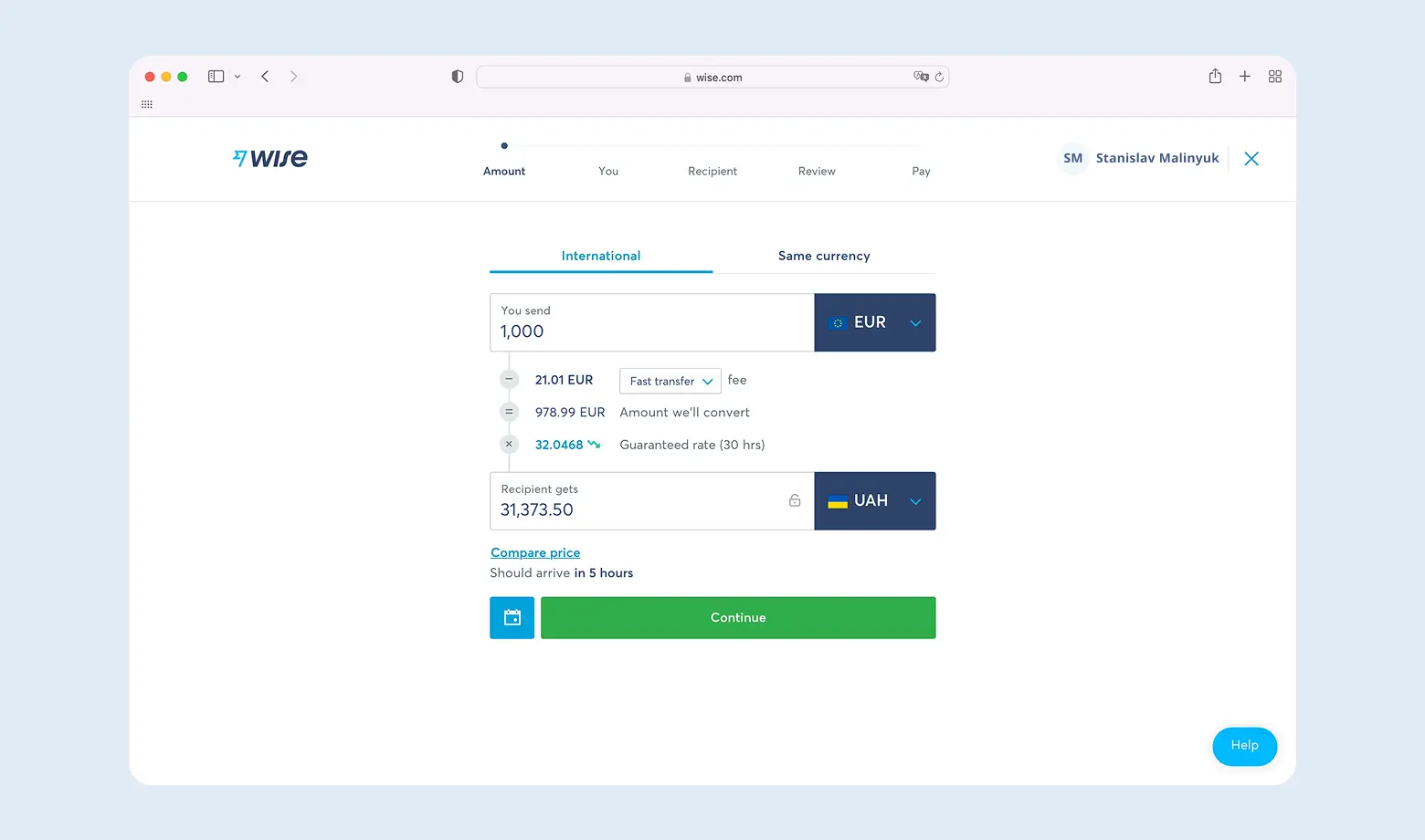
What does it cost? Wise shows the fee in the calculator before you confirm, and for USD → UAH it changes daily. Specific numbers in articles go stale quickly, so check the calculator rather than someone else's screenshot. For comparison, a bank would charge a flat $20-30 plus 2-4% buried in the rate.
How the money reaches a Ukrainian card
Now the mechanics. In scenario 1 the money arrives at your IBAN by itself and there is nothing to do. If you do hold a Wise balance - that is scenarios 2 and 3 below - the transfer to a Ukrainian card is made manually with the "Send money" button.
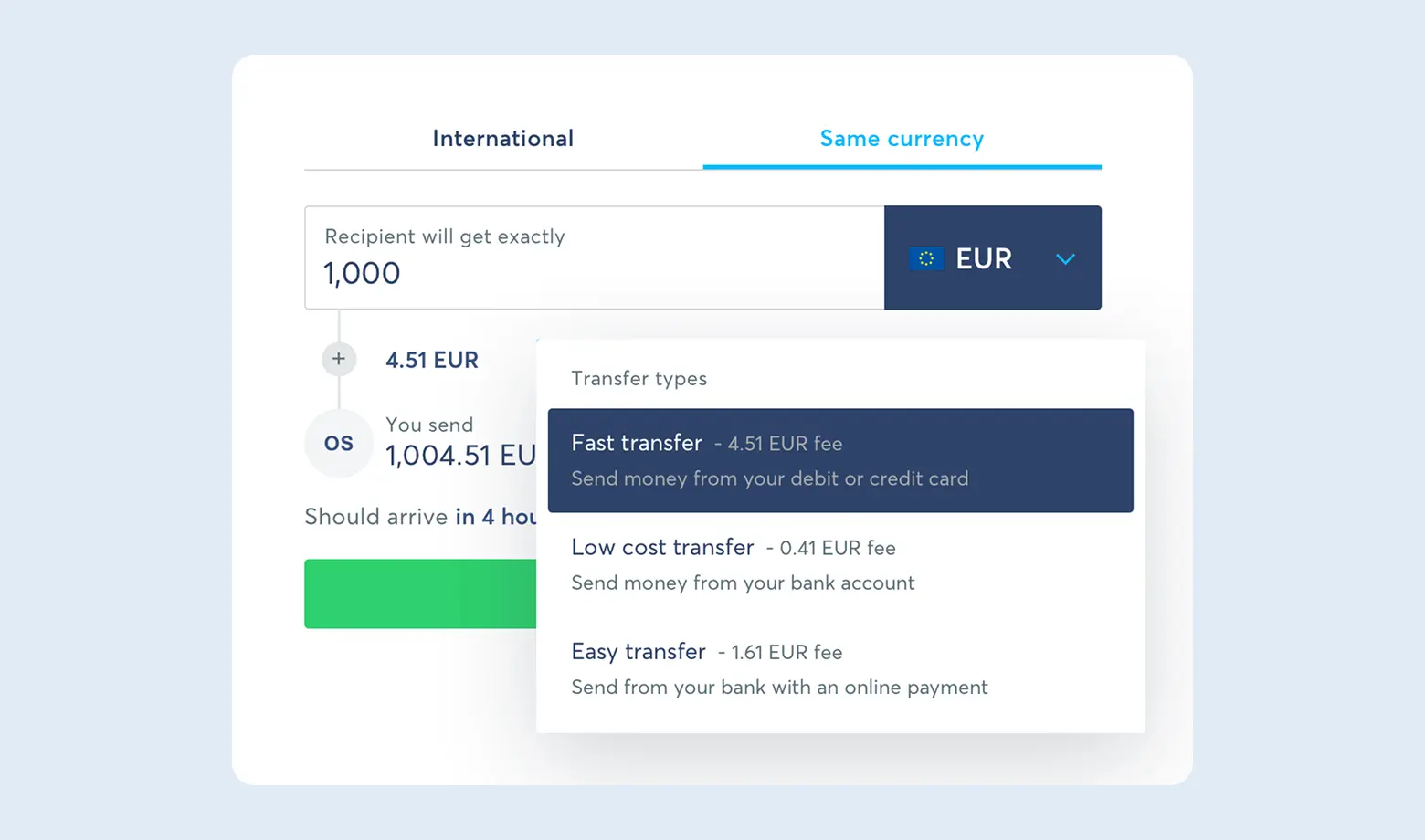
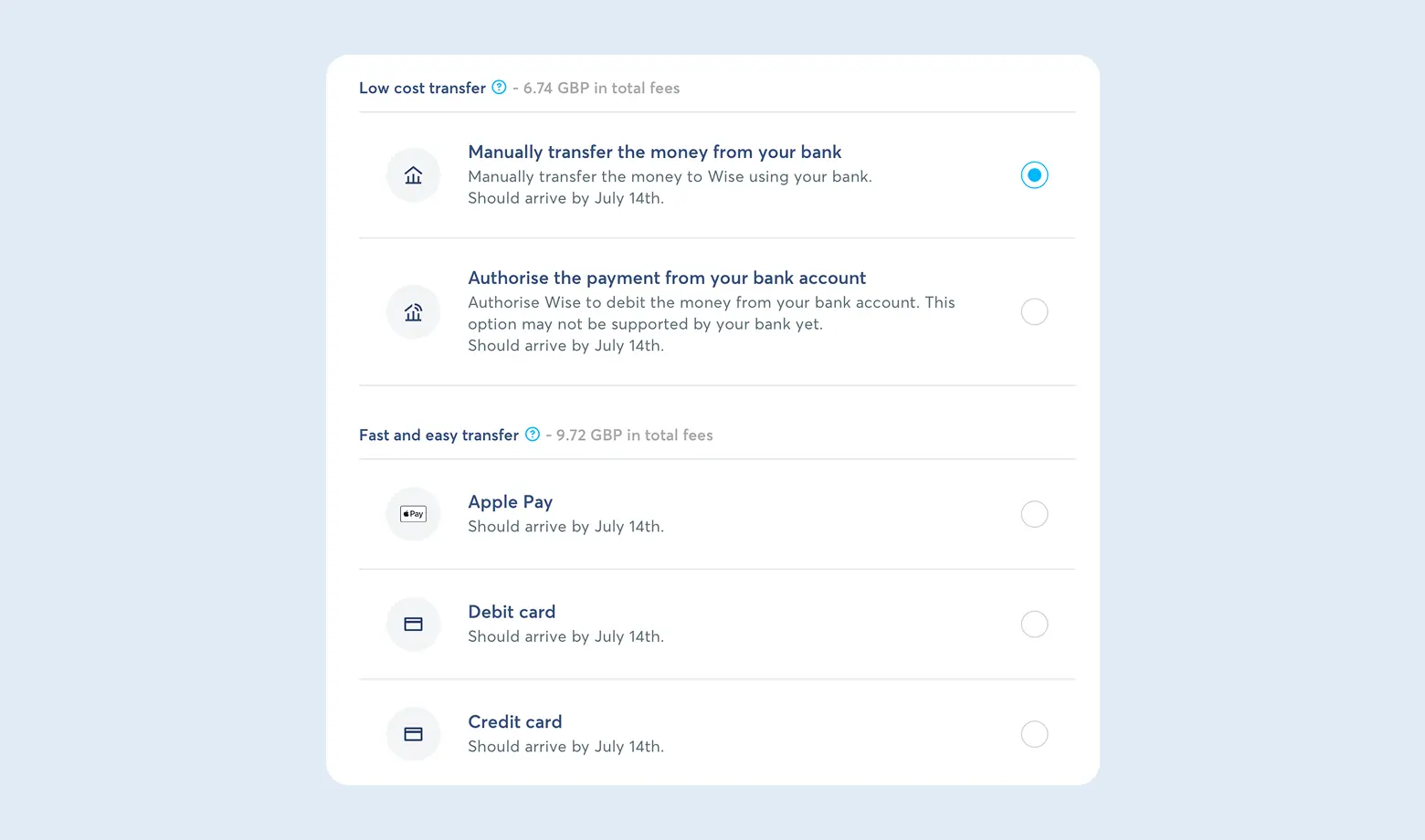
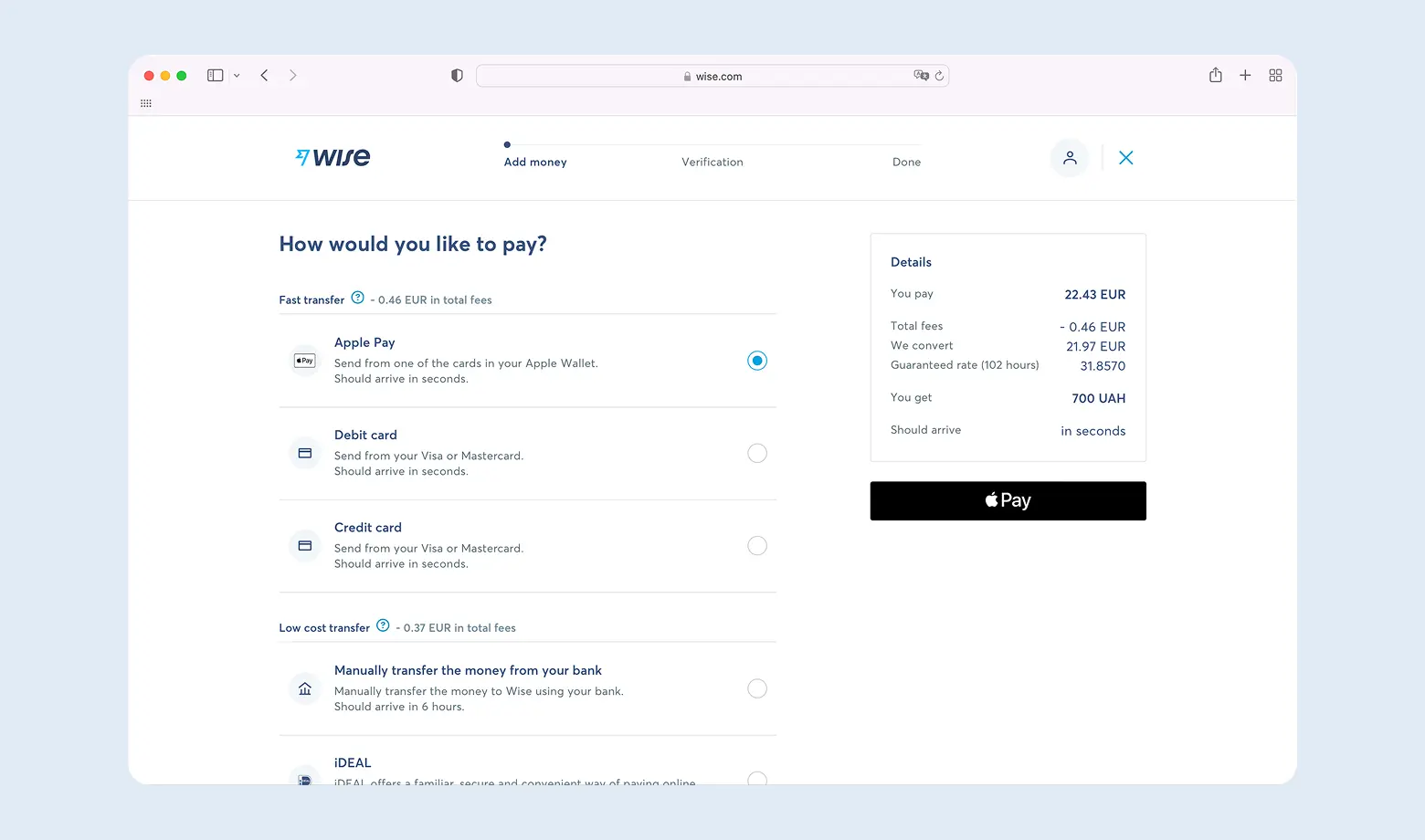
Step 1. Amount and speed. Enter how much you want to send and in which currency. Wise shows the fee and the delivery time immediately.
A way to save. Wise offers several transfer types and the fast one is noticeably more expensive. If the money is not needed yesterday, pick the slow option - the difference can be several times over. Exact amounts are always in the calculator before you confirm.
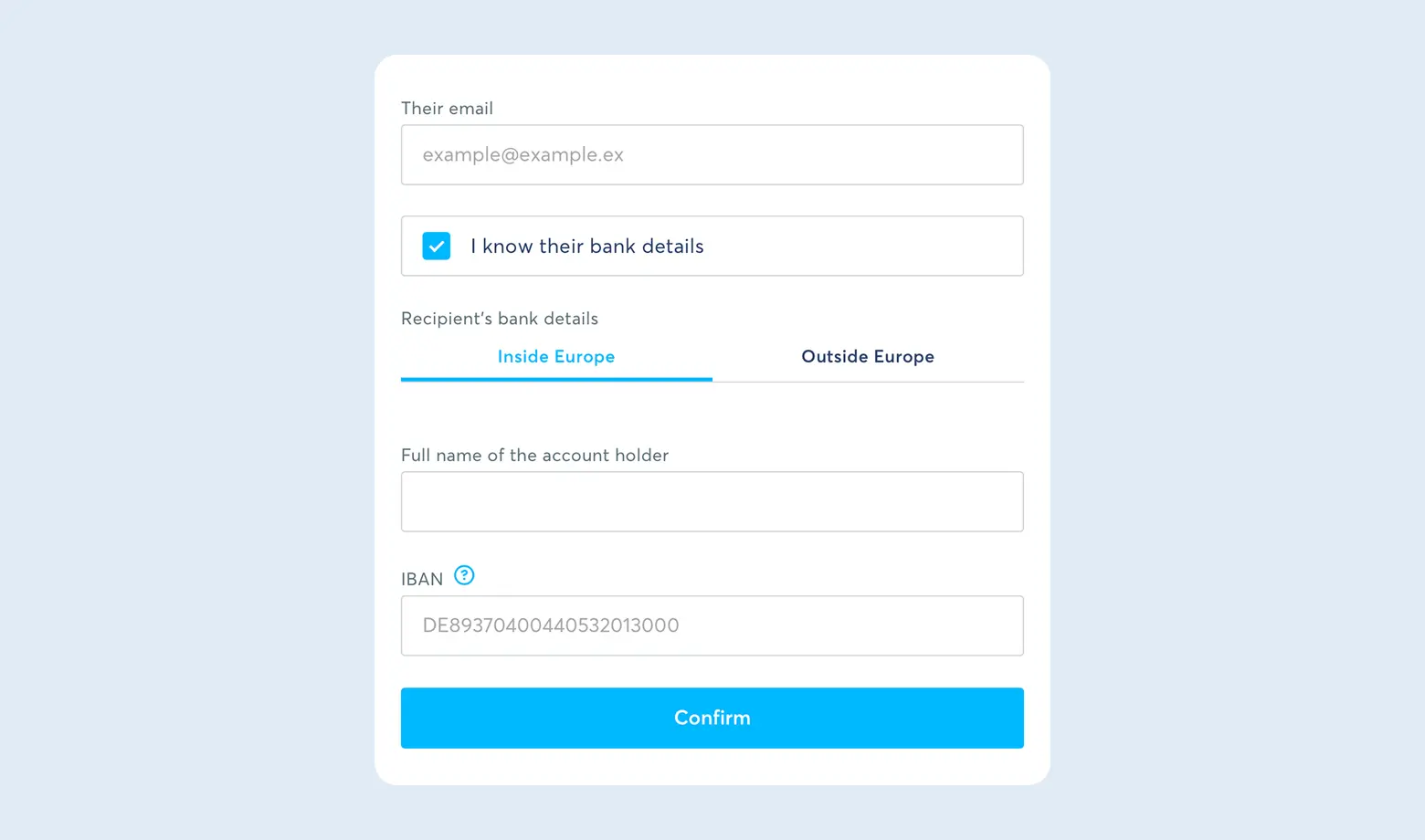
Step 2. Recipient details. Choose "Myself" if you are sending to your own card. You will need an IBAN starting with UA. If you do not know another person's details, entering their email is enough - Wise will send them a request to fill in the data.
If you want to compare Wise with other systems and learn more secrets of withdrawing foreign currency to Ukraine, we have prepared a detailed video review on our YouTube channel.
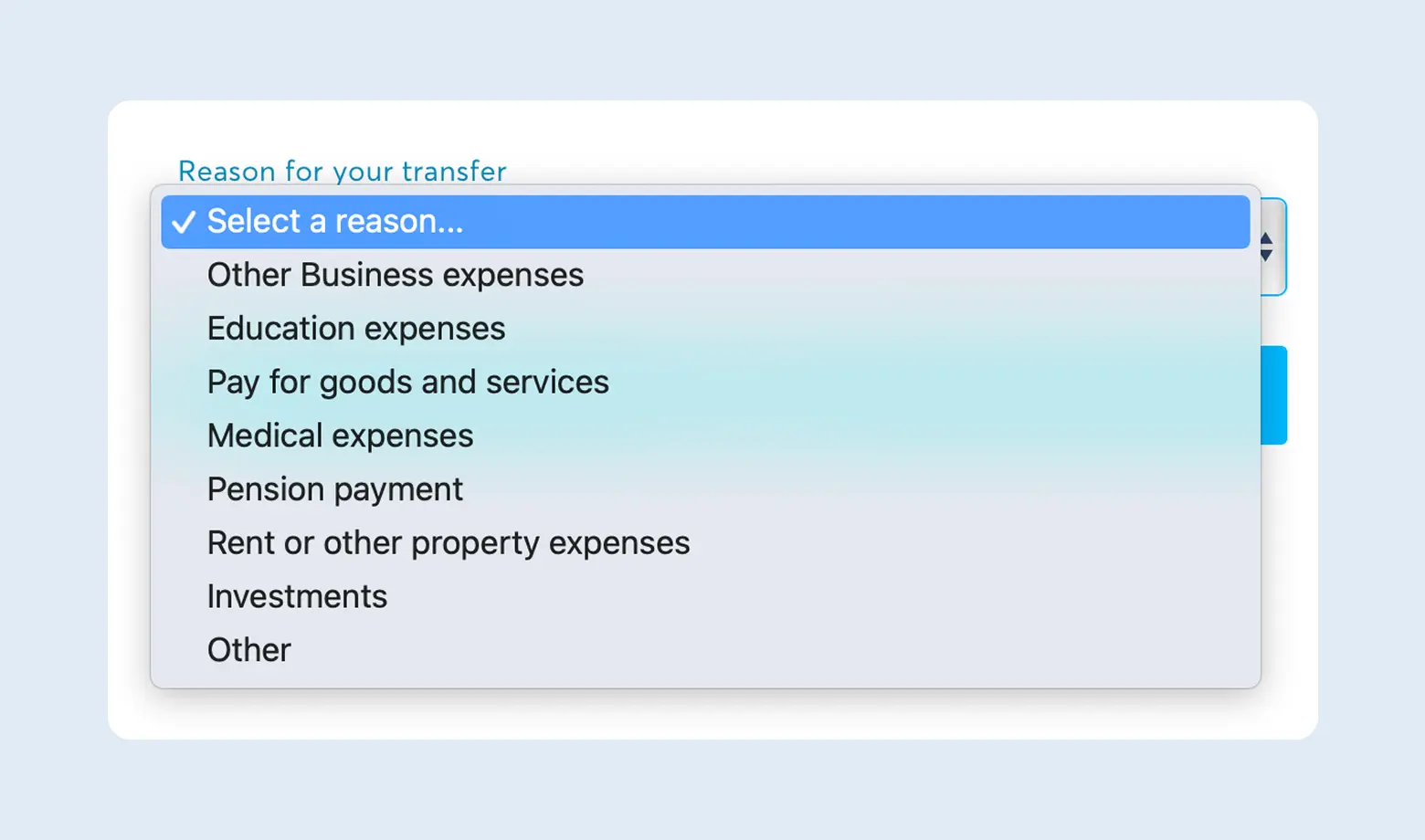
Step 3. Transfer reason. This is a technical field for the platform's own monitoring. Pick the closest option - "Payment for services", "Transfer to relatives" or "Savings".
Step 4. Review and pay. Wise shows the full transfer summary. You can also schedule the transfer for a specific date here.
Wise and sole proprietor taxes in Ukraine
For most entrepreneurs the real question is what to show the bank and the tax office. Point by point.
Is a Wise statement a primary document?
There is no NBU clarification saying so, and it is not worth citing one. A stricter rule applies instead. Clause 16 of Regulation No. 5 says settlements under foreign economic operations are carried out exclusively through bank accounts, and Article 13(2) of Law No. 2473 requires revenue to be credited to a resident account at a Ukrainian bank. Wise is an intermediate link, not a substitute for a bank account.
Your bank assesses the document package under its own currency supervision and AML rules. To avoid questions the package should look like this:
- Invoice - issued by you in the client's name, and you can generate it inside Wise.
- Wise statement - downloadable as a PDF for any period, confirming who sent the money and when.
- Public offer - if you work through a marketplace such as Upwork.
When the income arises
This is the key accounting nuance and the most common mistake. The tax authority position (ZIR, category 107.01.03) is that income arises on the date the funds reach Wise, not when you move them to a Ukrainian card. The position comes with a condition that is rarely quoted - the funds must be transferred to an account at a Ukrainian bank opened for business activity within the reporting period, and no later than the annual one.
Use the NBU rate on the date the income is recognised, that is the date of credit in the system rather than at the bank (clause 292.5 of the Tax Code).
The income ledger has been abolished. The wording "record the amount in your income ledger" is out of date. Under clause 296.1 of the Tax Code, group 1-2 sole proprietors and group 3 without VAT keep records in free form, reporting income monthly.
What it costs
| Component | Amount | Basis |
|---|---|---|
| Group 3 single tax | 5% of income | clause 293.3 of the Tax Code |
| Military levy | 1% of the same income | clause 16-1 subsection 10 section XX |
| Social contributions for yourself | UAH 1,902.34 per month in 2026 | the exemption remains suspended for 2026 |
| Group 3 threshold for 2026 | UAH 10,091,049 | clause 291.4 of the Tax Code |
| Exceeding the threshold | 15% single tax on the excess | clause 293.4 of the Tax Code |
The group 2 trap. A group 2 sole proprietor may supply services only to single tax payers and to individuals. Supplying a service to a non-resident legal entity is grounds for losing the simplified system. Group 2 does not suit a freelancer with foreign clients - group 3 does.
Currency supervision, the part people forget
- The settlement deadline for foreign economic operations is 180 calendar days (clause 14-2 of NBU Resolution No. 18). It covers services, not only goods.
- Late settlement penalty is 0.3% per day, capped at the outstanding amount (Article 13 of Law No. 2473).
- The threshold is UAH 400,000 (Article 20 of Law No. 361-IX). Below it the settlement deadlines do not apply, above it the bank switches on currency supervision.
In the payment purpose write "Payment for services under invoice No… dated [date]". It is not a magic formula, but it is what the bank expects to see.
Wise → FOP: not sure how to report your income?
Message us - the buh.ua team will set up foreign currency income accounting and take care of your ongoing bookkeeping support.
How to top up Wise
Before Wise can make a transfer it has to receive money from you. You choose the top-up method, and the fee follows from it.
| Method | Speed | Fee | Comment |
|---|---|---|---|
| Apple Pay / Google Pay | instant | ≈0.4-1.3% (EU and US debit cards) | The most convenient. Same fee as entering card details manually. |
| Visa / Mastercard | instant | ≈0.4-1.3% debit, 3-4% credit and business | Check whether your bank adds its own quasi-cash fee. |
| SWIFT transfer | 1-5 days | $15-$50 plus possible correspondent bank fees | Only worth it for large amounts. |
| SEPA bank transfer | fast | the lowest | Applies to accounts at EU banks. Ukraine has not joined SEPA yet - the NBU treats it as a future step. |
Ukrainian currency restrictions are still in force in 2026, and banks treat topping up a foreign account from a Ukrainian card as a "quasi-cash" operation. Resolution No. 18 lists "topping up electronic wallets" among them explicitly.
- The quasi-cash cap is UAH 100,000 per calendar month across all of an individual's accounts held in foreign currency. Quasi-cash from hryvnia accounts is not listed among the permitted exceptions at all.
- Card payments for goods, works and services - up to UAH 200,000 a month from hryvnia accounts and with no amount cap from foreign currency accounts.
- Bank fee - some Ukrainian banks add 1% to 3% for topping up electronic wallets.
The temptation to "get around" the cap through Apple Pay does not work. The merchant category code is set by the merchant and the payment system, not by how the card is tokenised. Breaching currency restrictions carries liability under Article 14 of Law No. 2473.
Scenario 2. Wise Business for a US company
This is the part almost nobody writes about, and the one people keep asking about. Wise rules follow the account address, not the owner's passport. If the account belongs to a company in the US, the account address is American - and none of the restrictions above apply to it.
A business account cannot realistically be opened on a Ukrainian address, because Ukraine is not on the list of countries where Wise allows you to hold money, and that list is the same for personal and business profiles. For a US LLC the business account opens normally, and it is Wise's core product for exactly this profile.
What you get
| Feature | Terms as of September 2026 |
|---|---|
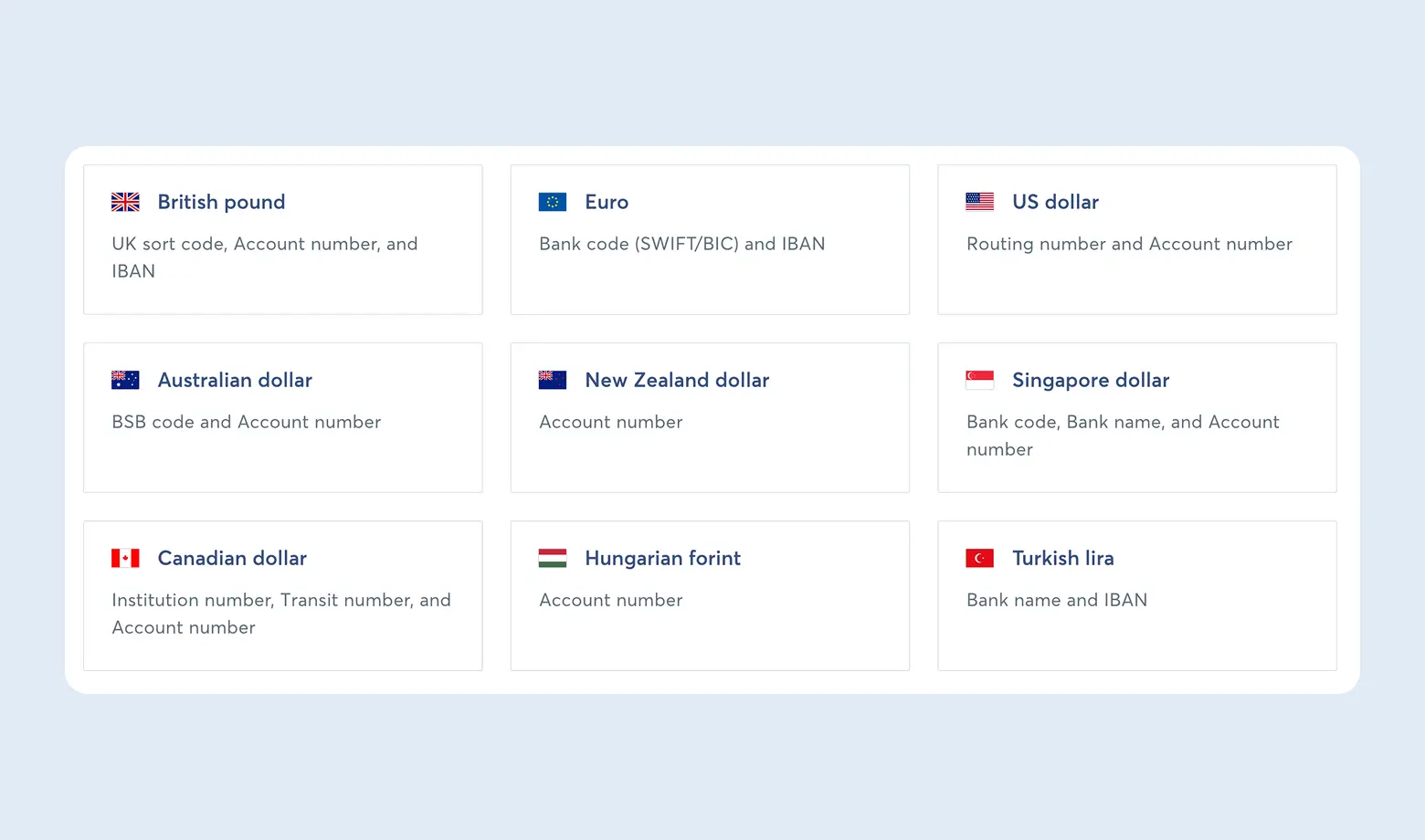
| Own account details | one-off fee of 31 USD, then accounts in 22 currencies |
| USD details | include ACH and wire routing |
| Receiving USD | ACH free, wire or SWIFT - 6.11 USD per payment |
| Currency conversion | from 0.23% - cheaper than the retail "from 0.4%" |
| Card | first business card free |
| Account upkeep | no monthly fee and no minimum balance |
How verification works
- Company name, type, EIN and registered address.
- For beneficial owners of 25% or more - full name, date of birth, home address, email. A non-US beneficial owner also submits a passport photo and sometimes a selfie.
- An SSN is required only for US residents and citizens. A Ukrainian owner does not need one.
The key question is which address to give as the trading address. Asked directly whether the registered and trading addresses can be in different countries, the Wise help centre answers: "Yes, this is fine. We'll just need to verify your trading address with one of the documents listed above".
So a US company with a trading address in Ukraine is a standard setup, not a workaround. The address can be evidenced with documents in the owner's personal name: a utility bill, a lease with two signatures, a traditional bank statement, an insurance policy.
What a trading address cannot be. A P.O. box, mail forwarding, a virtual office, a lawyer's office or the registered agent address. Wise maintains its own database of "mail" addresses and rejects the agent address automatically.
Wise blocks Nevada three times over. It does not onboard businesses from Nevada, does not let you hold a balance ("you can't hold money if you live in Nevada") and does not issue cards to Nevada residents. If the company is already registered in Nevada, the payment setup through Wise will not come together at all. On choosing a state, see our article on company registration in the USA.
How to request a payment in Wise
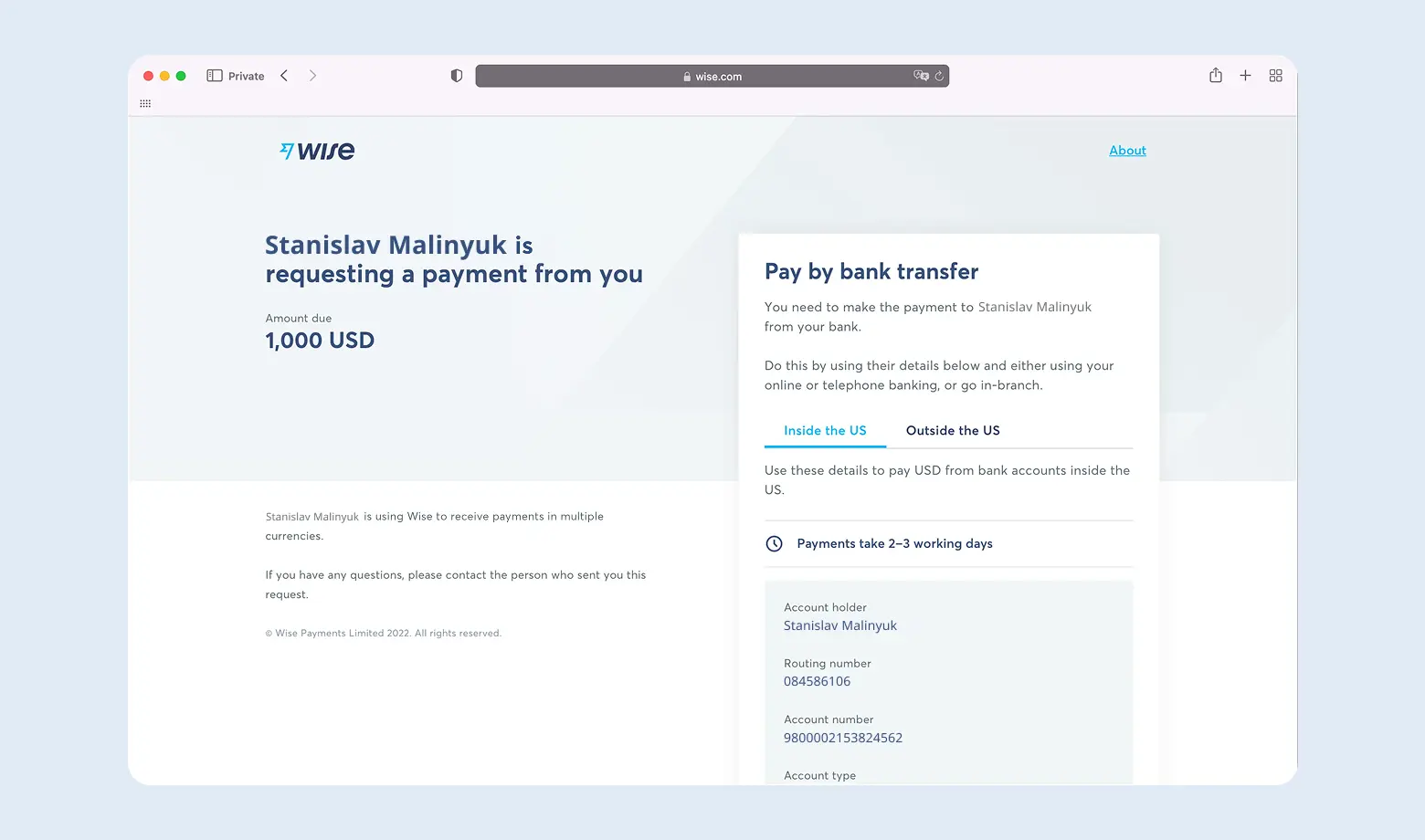
Once a balance is available you no longer need to send details manually. Select the currency in your account, click "Request" and enter the amount. Wise creates a unique link - the sender opens it, sees the amount and your details, and confirms the transfer.
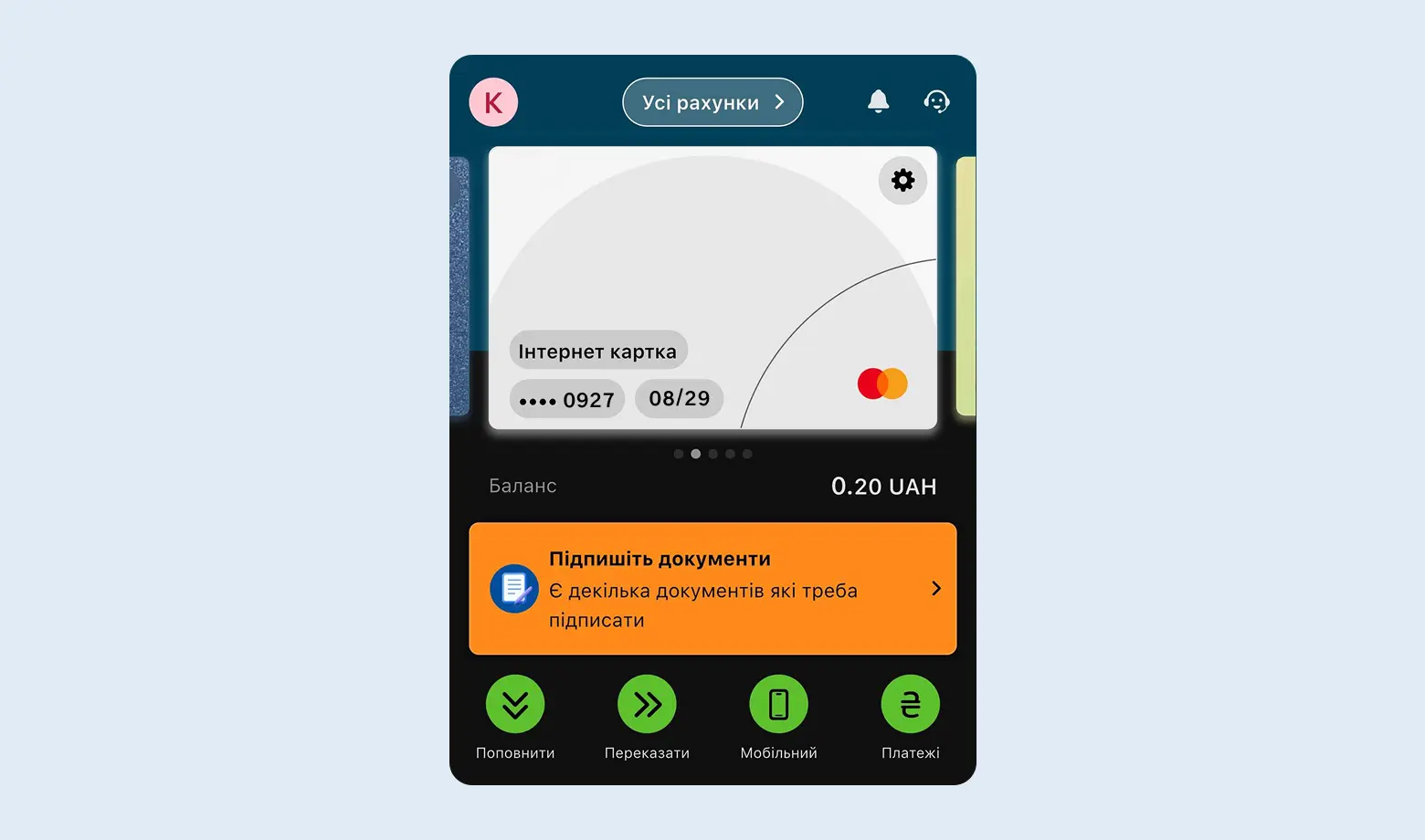
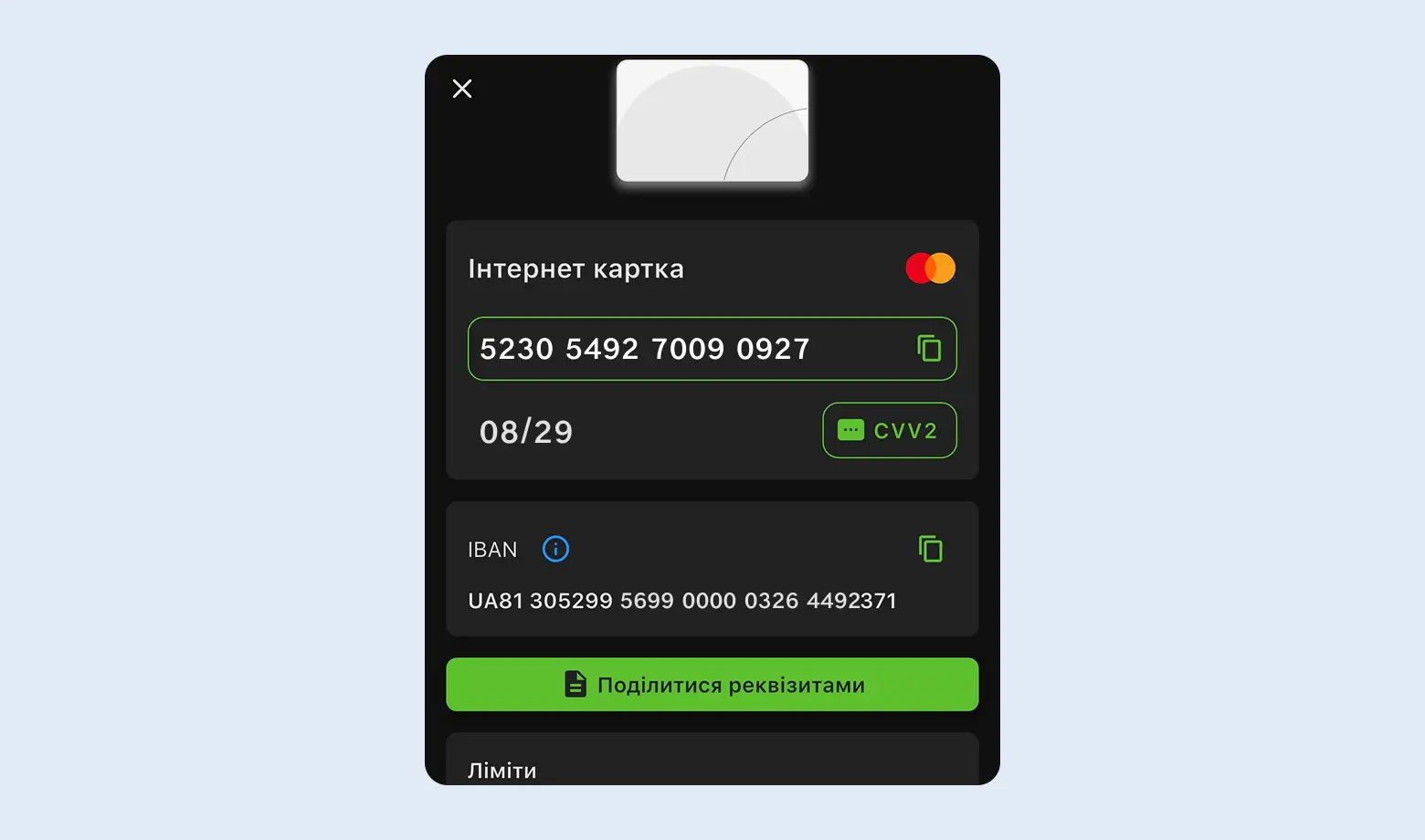
Cards ship within the US only. Wise puts it plainly: "Delivery is available only within the US for personal and business customers". A US company's physical card will not travel to Ukraine. The workable options are a digital card with Apple or Google Pay, or a US mail forwarding address purely to receive the plastic.
Where the loop does not close. Company money cannot simply be moved to yourself. Wise does not send hryvnia to business accounts at all, and Payoneer requires the payee name on a company account to match the company name. Transferring LLC funds to the owner's sole proprietor account directly is not possible.
There is one workable route - an account at a Ukrainian bank in the name of the LLC itself, through registering the non-resident with the tax authority (Article 64.5 of the Tax Code, form 1-OPN). It is a separate procedure, and it is what closes the loop.
Taxes when the account belongs to a US company
Here you have two sets of obligations, and that is the main thing to understand before registering. A US LLC treated as a disregarded entity pays no corporate tax in the US, but that does not mean there are no taxes at all.
Ukraine - controlled foreign company rules
A single-member LLC with a Ukrainian owner is a controlled foreign company under Article 39-2 of the Tax Code. Disregarded entity status in the US does not change that - for Ukraine it is a foreign legal entity.
- Notice of acquiring a share - within 60 days of acquisition, form F1308001 through the electronic cabinet. The penalty for failing to file is 300 subsistence minimums, that is UAH 998,400 per instance.
- CFC report - filed together with the annual income declaration, by 1 May. It is filed separately for each company, including dormant and loss-making ones. If the financial statements are not ready, a short form goes in by 1 May and the full report by 31 December, with no penalties.
- Translating the financial statements into Ukrainian is not required, nor is an apostille or notarisation. A qualified electronic signature is enough.
A detailed breakdown of the obligations and penalties is in our separate article on CFC reporting.
Exemption from taxation of profit works through two routes. The first is that the combined income of all your CFCs does not exceed EUR 2 million. The second is a treaty with the jurisdiction - and there is one with the US - plus one of two conditions: an effective tax rate of at least 13% or a passive income share of no more than 50%.
A disregarded LLC fails only the rate test, because it pays no profit tax and the numerator is zero. The passive income route is open to it, and an operating company with real clients can qualify.
| How you take the money | Rate | Provision |
|---|---|---|
| Profit stays in the company | 18% income tax + 5% military levy = 23% | clause 170.13.1 |
| Dividends distributed before filing the CFC report | 9% income tax + 5% military levy = 14% | clause 170.13.2 |
| Dividends after the report but before the end of the second year | recalculation at 9% | clause 170.13.2 |
So the common claim that dividends are more expensive does not hold for a CFC. Distributing profit before filing the report is 9 percentage points cheaper than keeping it in the company.
The US side - filings even with no activity
- Form 5472 with a pro forma Form 1120 - annually by 15 April, extended with Form 7004 to 15 October. E-filing is prohibited, only mail or fax. The penalty for not filing is $25,000, plus $25,000 for each 30 days once 90 days have passed since the IRS notice. Reportable transactions include both owner contributions and distributions to the owner.
- BE-13 - within 45 days of forming the company. Since 03.09.2025 the threshold is $40 million (previously $3 million); below it you file a BE-13 Claim for Exemption, and filing is mandatory. Penalties range from $5,911 to $59,114.
- BOI is no longer filed with FinCEN - the final rule effective 14.08.2026 removes beneficial ownership reporting for all companies formed in the US.
- FBAR - if the company holds accounts at institutions outside the US with an aggregate balance over $10,000.
- State annual report - for Wyoming that is $60 or 0.0002 of assets in the state, whichever is greater.
How all of this looks in practice, from choosing a state to the EIN and the bank, is covered in our article on opening a company in the USA.
How the tax office learns about the company. The strongest channel is not CRS but clause 39-2.6.3 of the Tax Code. A bank, financial institution, non-bank payment service provider or e-money issuer that discovers a Ukrainian resident holds a share in a foreign legal entity notifies the tax authority within 5 business days. It is a direct rule and it does not depend on any particular service's policy.
Scenario 3. If you have relocated
The third case applies to those already living outside Ukraine. Wise itself suggests that Ukrainians change the profile address to one in an EEA country where they genuinely receive post. After that everything missing from scenario 1 opens up - the balance, your own account details and a physical card to a European address.
- The address is changed in profile settings and has to be evidenced with a document.
- Once changed, the currencies and products of that country become available.
- The card is sent to the new address by ordinary post.
One important caveat. Changing the profile address in Wise does not change your tax residency. If you remain a Ukrainian tax resident, income is declared here regardless of the address the payment service sees. That is a separate question and it is not settled in account settings.
CRS: does the tax office see your Wise account?
The short answer is yes. Wise states in its own help centre that it has to establish customers' tax residency and report account information to the relevant tax authorities, and that this applies to personal and business accounts alike. The trigger is whether you hold a balance: "If you only send money with Wise, and don't hold any money on the account - you won't need to provide this information".
On the Ukrainian side, automatic exchange under CRS has applied since 01.07.2023, the tax authority carried out the first exchange in September 2024, and exchanges now happen annually. The tax office does not see a full statement - it sees the holder's identifying data, the account number, the year-end balance and the total credited during the year.
What changed in 2026. Since 01.07.2026 Ukraine applies CRS 2.0, and e-money issuers now fall squarely within the definition of a Depository Institution. The only carve-out left is for transit funds, provided the institution does not hold them for more than 60 calendar days after the payment instruction.
Wise support: where to turn
The Wise site is intuitive and the fee calculator shows everything before the transfer. If a question comes up there are two channels - the help centre on the website and a request from inside your account. There is no separate 24/7 support in Ukrainian.
Frequently asked questions about Wise in Ukraine
Does Wise work in Ukraine in 2026?
Yes, you can register an account - Ukraine is not on the blocked list, only the occupied territories are. But with a Ukrainian profile address you cannot hold a balance, get your own USD account details or a Wise card. There is one working scenario - the client sends money from their Wise to your Ukrainian IBAN.
Is Wise a bank?
No. Wise is an electronic money institution, not a bank. Money in a Wise account is not covered by bank deposit guarantees, and settlements under foreign economic operations must still go through an account at a Ukrainian bank under clause 16 of Regulation No. 5.
Can I withdraw from Wise to Monobank?
Yes, but only to an IBAN and only to an individual's account. Wise does not send hryvnia to business accounts or to a card number. The per-transfer cap is UAH 29,999 for most banks and UAH 399,999 for PrivatBank.
How does a sole proprietor report income received through Wise?
Income is recognised on the date the funds arrive in the Wise system, at the NBU rate for that day, provided they are transferred to a business account at a Ukrainian bank within the reporting period. The income ledger has been abolished - records are kept in free form on a monthly basis (clause 296.1 of the Tax Code). A group 3 sole proprietor pays 5% single tax, 1% military levy and social contributions for themselves.
What if I have a US company - do the same rules apply?
No, and this is the key difference. Wise looks at the account address, not the owner's passport. A US LLC gets a balance, account details in 22 currencies for a one-off 31 USD, ACH and wire routing, conversion from 0.23% and a business card. In exchange you take on two sets of filings - CFC reporting in Ukraine and Form 5472 in the US.
Is there a limit on topping up Wise from a Ukrainian card?
Yes. The NBU treats topping up electronic wallets as a quasi-cash operation with a cap of UAH 100,000 per calendar month across all of an individual's foreign currency accounts. From hryvnia accounts such operations are not listed among the permitted exceptions.
Does Wise report data to the Ukrainian tax authority?
Yes, if you hold a balance. Wise states plainly that it is required to report under CRS and that this covers personal and business accounts. Ukraine has taken part in automatic exchange since 2023, with the first exchange in September 2024.
Conclusion
Wise is a convenient tool for international settlements, but for a Ukrainian it is three different products depending on the address the account is registered to. Confusing them is what produces most of the disappointment.
What to remember:
- Wise beats banks and PayPal thanks to the mid-market rate with no hidden markup.
- With a Ukrainian address the balance, account details and card are unavailable. The working scenario is the client paying from their Wise to your IBAN, to an individual only and within the UAH 29,999 cap (UAH 399,999 for PrivatBank).
- With a US company the full Wise Business is available - details in 22 currencies, ACH and wire, conversion from 0.23%, a card. But physical cards ship within the US only, and company money cannot go to the owner's sole proprietor account directly.
- After relocation it is enough to change the profile address to an EEA one and everything opens up. Tax residency does not change with it.
- For a sole proprietor, income arises when funds reach Wise, not when they are withdrawn. The income ledger is gone and records are kept in free form.
- The settlement deadline for foreign economic operations is 180 days, the penalty is 0.3% per day, and the currency supervision threshold is UAH 400,000.
- A US company adds CFC reporting in Ukraine and Form 5472 in the US - with penalties of UAH 998,400 and $25,000 respectively.
If you are still choosing a structure, or already receiving foreign currency and unsure how to account for it, write to us. We will go through your case and set up the accounting so that neither the bank nor the tax office has questions.
Would you like to consult
with a specialist as soon as possible?
Leave a request and our specialist will contact you shortly