

How to Open a Sole Proprietorship (FOP) in Ukraine and Legally Pay Taxes in 2026


Today, legalizing income is no longer a choice but a necessity. In 2026, with the implementation of automatic exchange of financial information (CRS), the line between “personal funds” and “business income” has become fully transparent to the tax authorities.
This guide will help you move step by step from registration to your first tax payment without stress or mistakes.
What Is a FOP and Why It Is Your Best Option
FOP (Individual Entrepreneur) is an official legal status that allows you to conduct business in your own name. It is the ideal structure for those who work independently: programmers, designers, marketers, course instructors, or small shop owners.
Main advantages:
- No need to register a company (LLC) or draft corporate bylaws.
- You can operate throughout Ukraine and internationally.
- Simplified reporting system: submit your tax declaration online and pay taxes in just a few clicks.
What do you need to start in 2026?
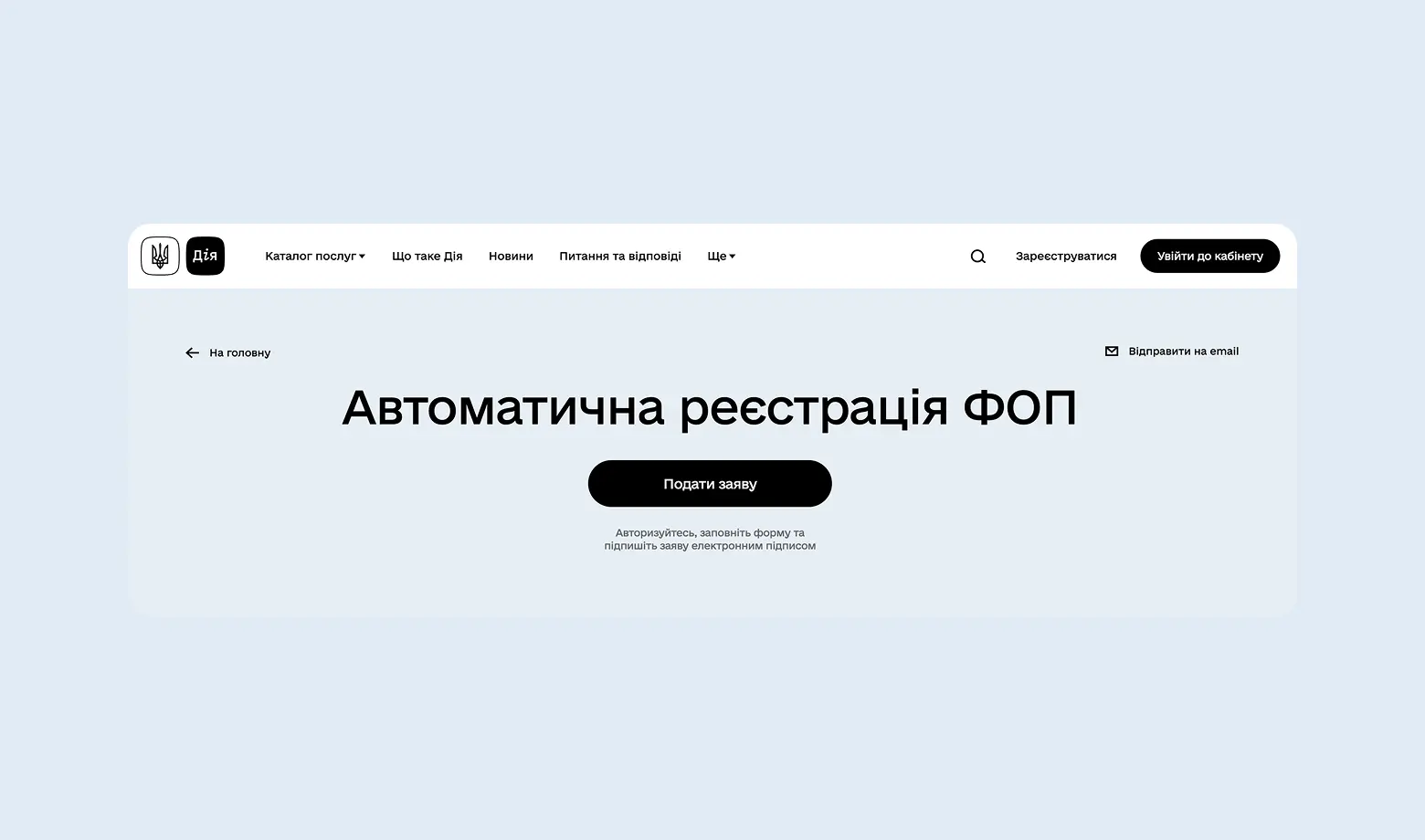
- Submit an application via the Diia portal.
- Open a dedicated business bank account.
- Receive your first payment and record it properly in your accounting.
- Submit your report on time and pay your taxes.
This is the simplest structure. If your business involves complex agreements with foreign investors or a large number of employees, it is better to first obtain a professional consultation.
Can You Work Without Registering as a FOP?
You may operate without registering as a FOP only in the case of one-time income. In this situation, you must declare it as an individual and pay 18% personal income tax + 5% military levy. In total, this amounts to 23% — significantly higher than under the simplified taxation system.
If your income becomes regular (even once per month), the tax authorities classify it as entrepreneurial activity. In 2026, bank financial monitoring systems instantly react to systematic transfers to personal cards. The consequences may include account blocking, fines, and a requirement to pay back taxes retroactively at higher rates.
How to unblock an account? Watch the video on our channel and download a free letter template.
How to Register a FOP Online in 5 Minutes
The days of standing in tax office queues are over. Registration is now free and available through the Diia portal.
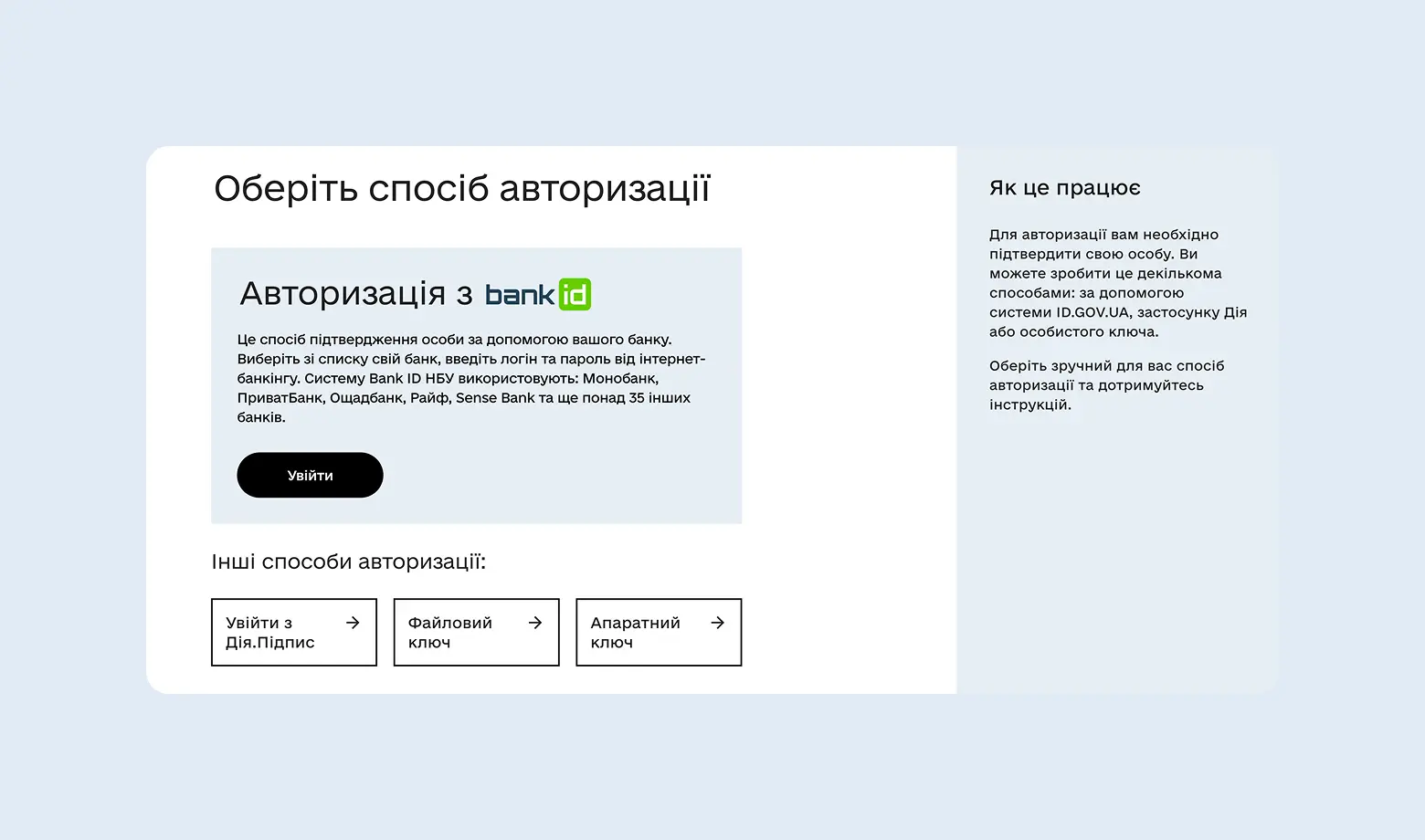
Step 1: Authorization
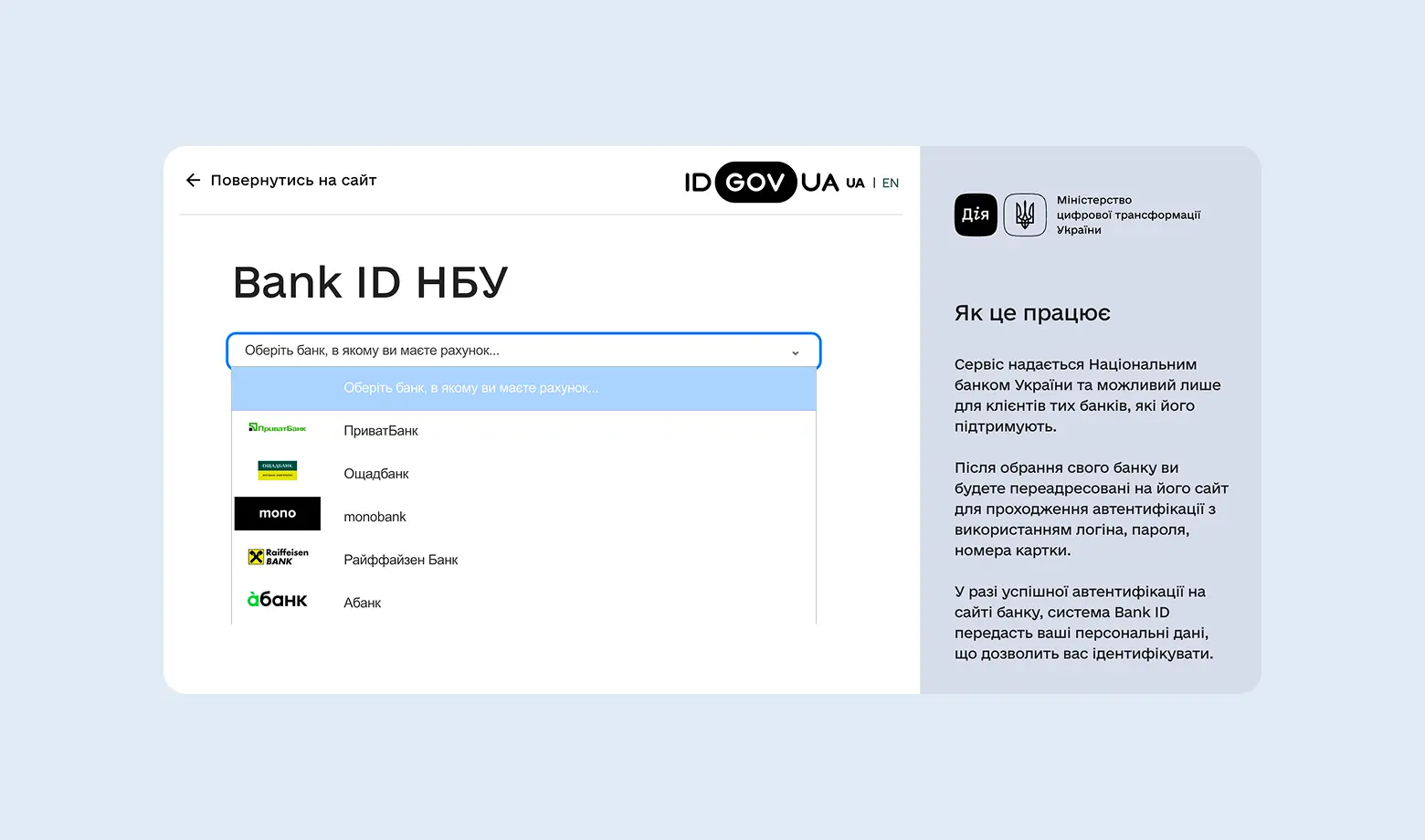
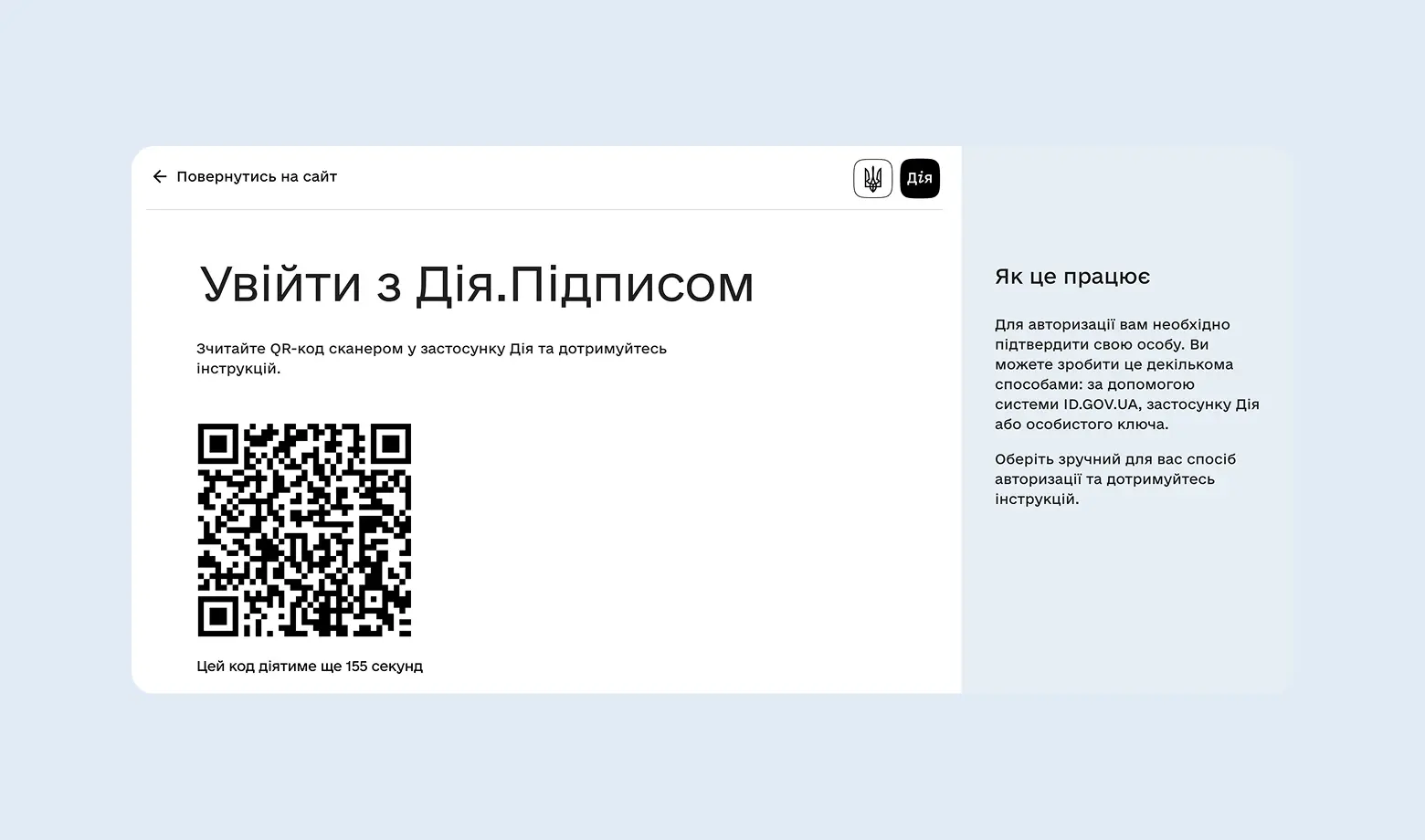
You can log in using BankID (through your bank’s app), Diia.Signature, or an electronic key. BankID is the fastest option: scan the QR code in the Mono or Privat app, and you are logged into the system.
Step 2: Personal Data and UNZR
You need to confirm your registered address and provide your UNZR (unique record number in the state register).
Where can you find your UNZR? It is a 13-digit number (with a hyphen) shown on your ID card or international passport. UNZR is your digital passport within state databases.
What Are KVED Codes for FOP and How to Choose Them Correctly
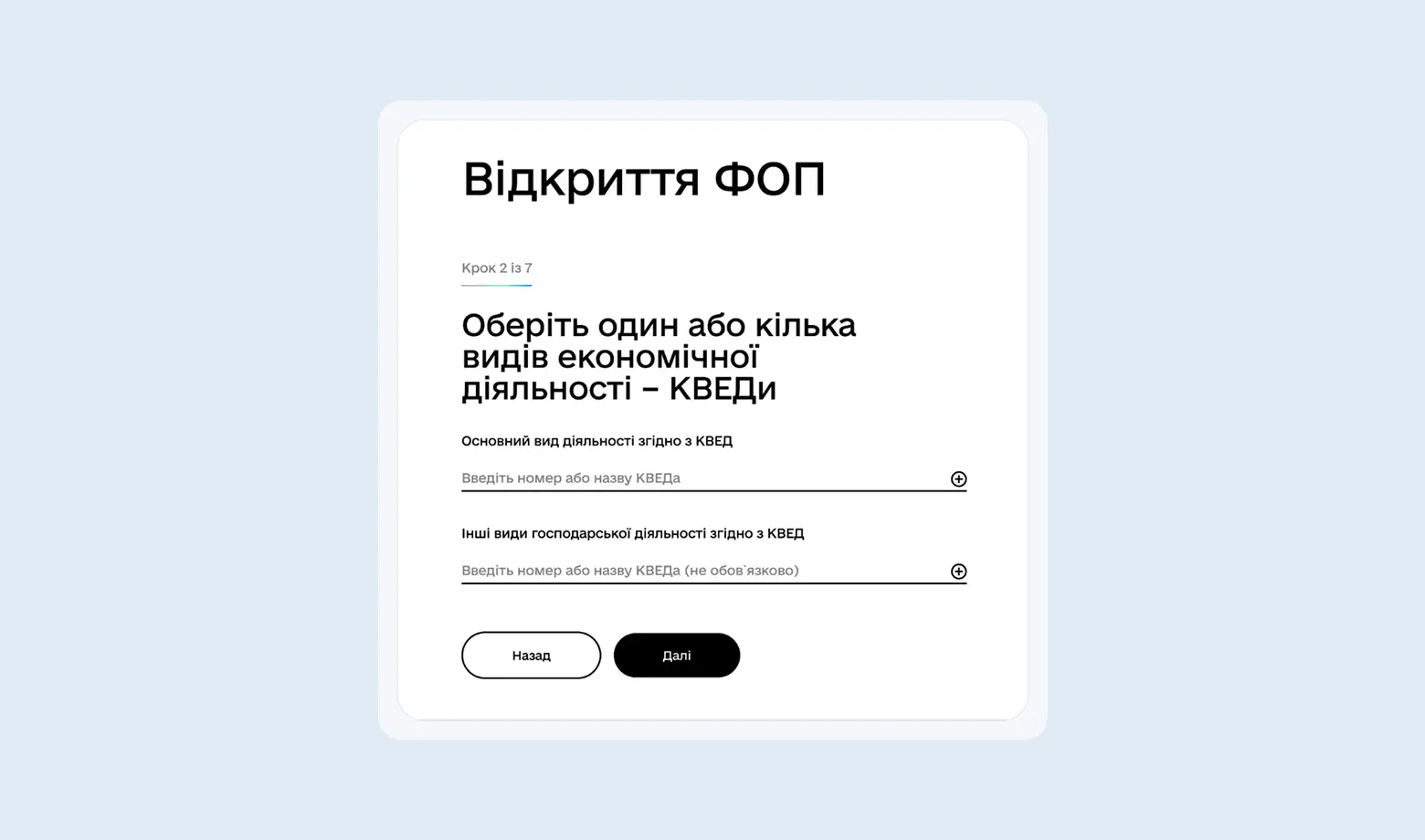
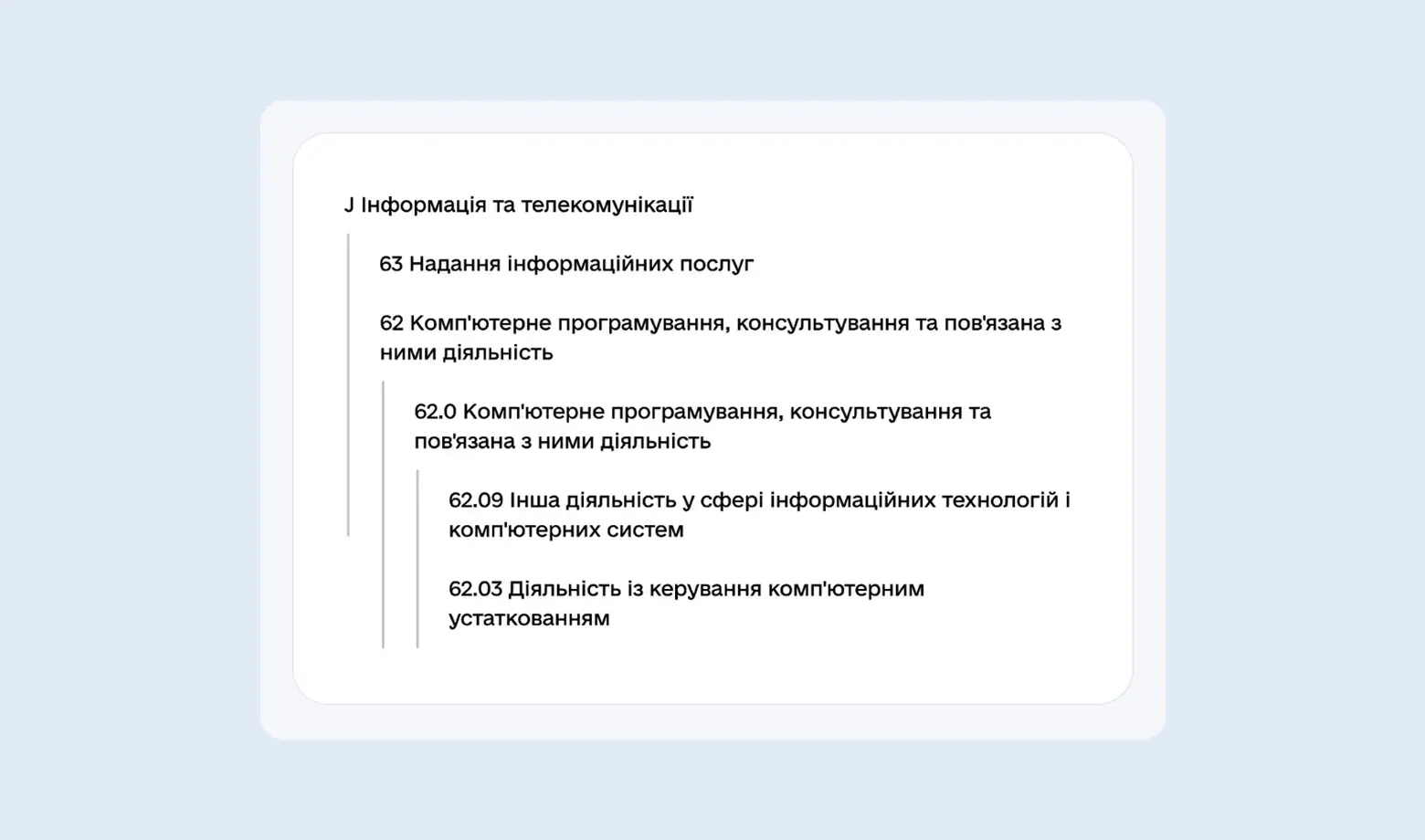
KVED is the code of your business activity. You must inform the state what exactly you will be earning income from.
- Main KVED: the activity that generates the highest income (for example, software development).
- Additional KVEDs: related services (for example, consulting or training).
Read more about how to select, add, or change KVED codes in our article.
Popular KVED codes for online business in 2026:
- IT and Freelancing: 62.01 (programming), 62.02 (consulting), 63.11 (data processing).
- Bloggers and Creators: 73.11 (advertising), 90.03 (creative activities), 74.20 (photo/video production).
- Education and Courses: 85.59 (other education), 85.60 (supporting educational activities).
Important: The number of KVED codes is not limited. It is better to choose 5–7 “just in case” so you do not need to urgently add them when changing your business direction.
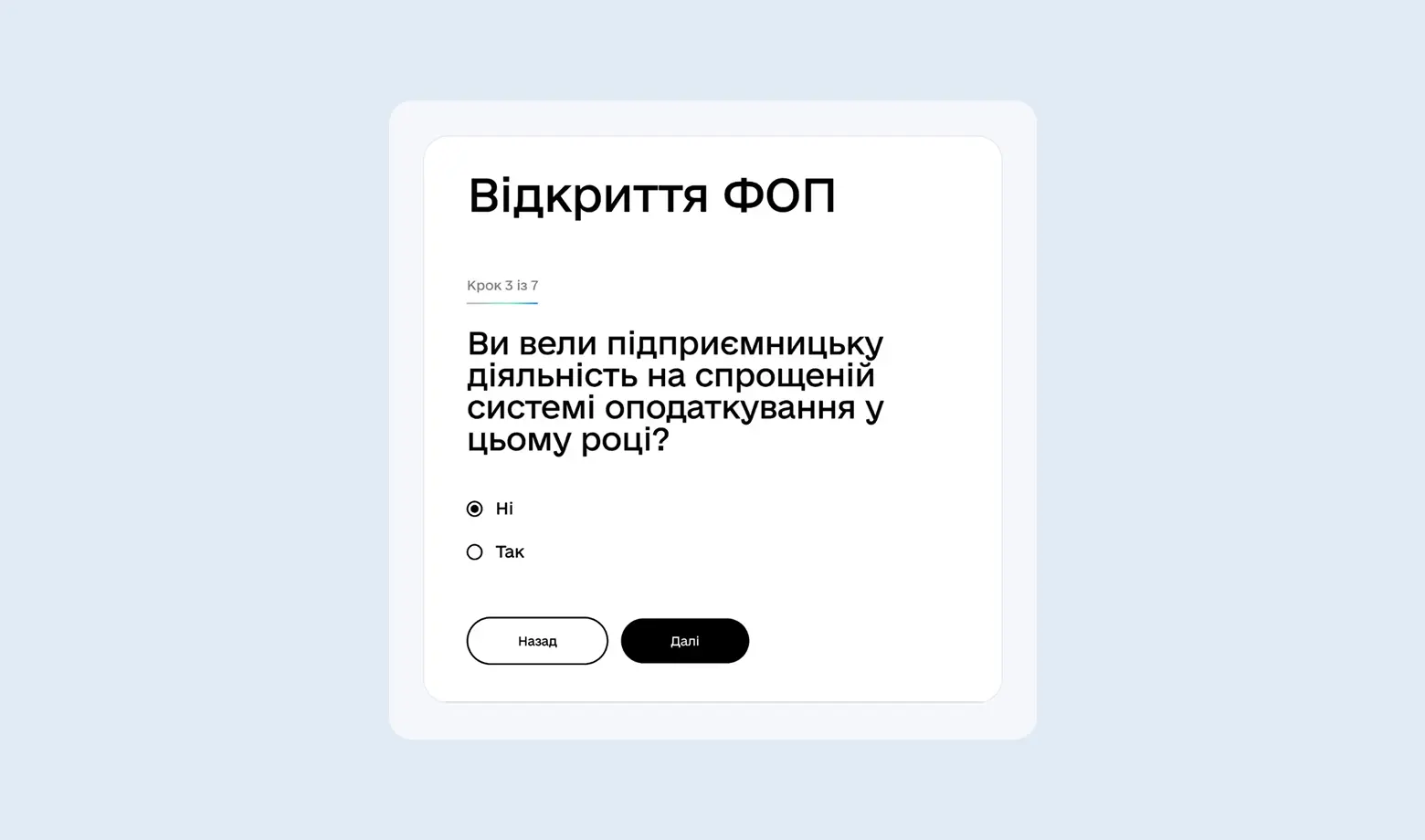
Since you are opening your business for the first time, simply indicate in the relevant field that you have not yet conducted entrepreneurial activity under the simplified taxation system this year. This is a standard procedure to activate your “single tax payer” status.
The next and arguably the most important step is choosing a taxation system.
Choosing a Taxation Group: Why Is Group 3 the Market Standard?
For most IT specialists and online entrepreneurs, the optimal choice is FOP Group 3.
- Group 1: for small-scale retail trade at markets (limit up to 1.4 million UAH).
- Group 2: for services and manufacturing, if clients are only within Ukraine (limit up to 7.2 million UAH).
- Group 3: ideal for freelancing, exporting services, and working with foreign clients. The limit in 2026 exceeds 10 million UAH.
Why do entrepreneurs choose FOP Group 3?
- You can work with any companies (including foreign ones).
- You can hire an unlimited number of employees.
- Simple accounting: you pay a percentage of the amount actually received in your bank account.
Therefore, during registration choose the option “Simplified Taxation System - Group 3”
Not sure which group to choose and how to pay taxes in 2026?
Write to us - we will select the optimal model and take over your accounting support.
Next, you must specify the place of business activity. For freelancers, IT specialists, and anyone working remotely (online), the best option is "Throughout the territory of Ukraine". This gives you the freedom to work from anywhere in the country without being tied to a specific office.
Before submitting your application, the system will prompt you to carefully review all entered information. Make sure your KVED codes and selected taxation group are correct, then sign the document using your electronic key.
After successful registration, you must open a FOP bank account.
How to Open a Bank Account for FOP
You need an IBAN starting with UA..., opened specifically for your FOP.
Using a personal card for business purposes is strictly prohibited.
Many entrepreneurs choose Monobank because:
- The account can be opened online in just a few minutes.
- Convenient management of personal and business funds within one application.
- No maintenance fees and favorable rates for withdrawing net profit.
Funds received in your FOP account are your money. However, you should not spend them directly from the business account on groceries or clothing. First transfer them to your personal card to maintain clean accounting records.
Congratulations — the technical stage is complete. You now have official entrepreneur status and a business bank account. What’s next? Real work begins: legally receive income from clients, submit reports on time, and pay taxes so your business can grow without unnecessary issues with regulatory authorities.
Taxes for FOP Group 3 in 2026
Here is what you must pay quarterly:
Most freelancers choose the 5% rate without VAT. It is simpler because VAT requires complex reporting and registration of every tax invoice. If your clients are individuals or foreign customers, you usually do not need VAT.
If you operate in the international market, the income structure may be slightly more complex. For example, a common path for creators is receiving payments via Patreon, withdrawing funds to Payoneer, and then transferring them directly to your FOP foreign currency account.
How to Submit FOP Reports in 2026 (Taxer and Diia)
To calculate taxes correctly, you must record all income.
- Via Diia: convenient if you have 1–2 payments per month.
- Via Taxer: a professional assistant service. It automatically reminds you of deadlines, generates invoices, and prepares reports. You only need to upload your electronic key (QES) and enter your income amounts.
To ensure the service becomes your full-featured assistant and generates a tax calendar tailored specifically to your needs, you must complete your profile correctly.
- In the menu, select “Settings” → “Profiles” and click “Add Entrepreneur.”
- Fill in the details:
- Tax ID (RNOKPP): Your personal identification number (10 digits).
- Date of state registration: You can find it in Diia under “My Information” → “Business.” Essentially, this is the date when you received confirmation of successful FOP registration.
- Select the taxation system: Specify Group 3 with a 5% rate (if this is your chosen option).
- SSC setup: Choose the standard contribution rate for FOP. Based on this data, Taxer will automatically calculate all amounts payable in 2026 and remind you in advance.
If you are unsure about the selected rate or registration date, verify the information using your registry extract (available in Diia).
How to obtain an electronic key (QES)?
The easiest way is free of charge via Privat24 (section “Certificates”). You receive a key file, which you upload to Taxer or Diia to sign your reports.
Read more about QES in our dedicated article.
Today, the market offers numerous tools for managing your business independently, and technically you can handle everything yourself. The only question is what matters more to you: the hours spent studying tax regulations and preparing reports, or growing your business.
How Not to Miss Deadlines and Pay Taxes on Time
Timely tax payment ensures you avoid penalties and fines. You can monitor this process independently through specialized services or government applications.
- Using the Taxer tax calendar for FOP
The most convenient option for FOP Group 3 is to use online dashboards. They automatically generate an event calendar clearly indicating:
- Declaration submission: Each quarter, you enter your total income, and the service calculates the 5% Single Tax and 1% Military Levy automatically.
- Single Tax payment: The amount depends on your actual earnings.
- SSC payment: A fixed contribution (in 2026, this equals 5,707.02 UAH per quarter).
If you have uploaded your electronic key (QES) to the service, submitting the report takes just a few clicks. You immediately see the status: “Accepted” or “Rejected” (with an explanation, allowing you to quickly correct any errors).
2. Paying Taxes and Submitting Reports via Diia
For entrepreneurs who value mobility or receive a small number of payments, Diia is an excellent tool for quick reporting.
How it works:
- Submitting a report: In the “Services” → “Taxes” section, select declaration submission. You only need to enter your total income for the reporting period — Diia will automatically calculate the taxes and generate the document for the tax authority.
- Paying taxes: In the “Attention” subsection, you will see current events, including submission deadlines and payment details.
Important details to keep in mind:
- If you pay taxes directly via bank transfer (using IBAN details), the event in Diia may remain active for some time. Do not worry — the system may need several days to detect your payment in the state budget and close the event.
- When paying taxes directly through the Diia interface (by card or via Apple/Google Pay), a payment system commission applies.
- This method is ideal for a “clean” FOP with one-time payments, where complex expense accounting or additional bookkeeping documents are not required.
3. Paying Taxes via Bank (Monobank/Privat)
This method allows you to avoid extra fees. You take the payment details (IBAN) and the amount from your tax calendar, then go to your banking app and select “Payment by details” or “Budget payments.”
How to do it correctly:
- Get the payment details: Find the current IBAN of your tax authority (you can obtain it from the generated invoice in Taxer or in the Taxpayer’s Electronic Cabinet).
- Create a payment: In your banking app (for example, Mono or Privat24), select “Payment by details” and paste the IBAN.
- Fill in the payment purpose: In 2026, most banks automatically insert the payment type code.
Usually, it is 101 (tax payment). In the purpose field, specify what exactly you are paying, for example: “Single Tax payment for Q1 2026” or “SSC payment for January.”
- Enter the amount: Transfer the exact calculated tax amount from your tax calendar.
Don’t want to calculate taxes on your own?
Write to us - we will take your sole proprietorship under accounting support and monitor all deadlines.
How to Check for Outstanding Tax Debt
Even if you pay everything on time, it is advisable to check your settlement status with the state budget once per quarter. You can do this:
Conclusion
Managing a FOP in 2026 has become максимально technological, but it still requires a high level of discipline from the entrepreneur. Thanks to modern banks and automation services, most processes can be set up within just a few hours. The key rule of a successful entrepreneur remains unchanged — timeliness. Submitting reports and paying taxes on time protects you from unnecessary attention from regulatory authorities and financial penalties.
However, business is primarily about strategy, growth, and clients — not endless SSC calculations or monitoring new budget accounts. If you feel that you do not want to spend your valuable time studying updated activity codes, tracking income limits, or preparing quarterly declarations, delegate this routine work to professionals.