

QES and AES (Electronic Signature) 2026: a guide on how to obtain, sign, and verify a document

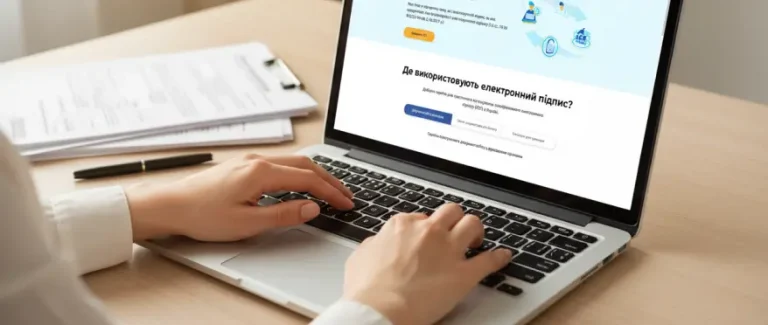
In 2026, QES (Qualified Electronic Signature) has become a mandatory tool for every sole proprietor and business. Without it, it is impossible to submit reports, sign contracts online, work with government authorities, or participate in Prozorro tenders.
In this guide, we will explain: what QES and AES mean in simple terms, the difference between them, how to quickly obtain an electronic signature, how to sign a document, and how to verify a counterparty’s signature.
What Is QES/AES in Simple Terms
To be honest, most people imagine a QES as something like your regular handwritten signature, just displayed on a computer screen. In reality, it works differently.
An electronic signature is a cryptographic key (a file or a secure storage device) that uniquely identifies the signer. It is your digital “fingerprint” that cannot be forged (well, almost impossible if everything is set up correctly).
Here is what an electronic signature guarantees:
1. Authorship – confirms that the document was signed by you.
2. Integrity – any modification to the document makes the signature invalid.
3. Non-repudiation – the signer cannot deny the fact of signing.
That is why an electronic signature is legally equivalent to a handwritten one. They have the same legal force.
The password for the key cannot be restored. If you lose the password or the storage device, you must issue a new key (reissuance).
The Difference Between AES and QES – Which One Should You Choose for Your Business?
If we set aside the complex legal wording, there are currently two types of electronic signatures used in Ukraine:
QES is a qualified electronic signature. It can be stored on a secure device (token) or in the cloud, such as Diia.Signature or monoQES. It comes with a state-issued qualified certificate that guarantees the authenticity of the signature. Important: during martial law, the requirement to store a QES specifically on a secure device has been temporarily suspended (Resolution of the Cabinet of Ministers of Ukraine No. 617).
AES – Advanced Electronic Signature. This is a file that you can store anywhere: on a flash drive, on your computer’s hard drive, or even email it to yourself (although that is not recommended).
Comparison Table: AES vs QES
| Parameter | AES | QES |
|---|---|---|
| Storage Medium | Flash drive, computer disk, phone | On a token or in the cloud |
| Possibility to copy the key | Yes | No |
| Cost | Free | Token – from UAH 1,000; cloud-based signature – free of charge. |
| Validity period | 1-2 years | 1-2 years |
| Where to obtain | Bank (Privat24, Monobank), Diia | Accredited Certification Center (ACSC) |
| Issuance time | 5 minutes | Up to 48 hours (urgent option available in 3-4 hours) |
| Legal force | Equivalent to handwritten, but…* | Fully equivalent to a handwritten signature |
| For government authorities* | Not suitable | Mandatory |
| For commercial companies* | Allowed until the end of martial law + 6 months | Always acceptable |
*in case of a dispute, you will have to prove the security of your systems
*the support status of specific services should be checked as of the publication date
Real Case: When AES Failed
The client – a small IT company – signed contracts with counterparties using AES. Everything seemed fine until one partner decided to “forget” about their obligations. In court, he claimed: “It wasn’t me who signed it, someone copied my key.” To prove otherwise, our client had to conduct an IT forensic examination that lasted several months. It had to confirm that their systems were secure and that no one could have copied the key. They won the case, but nerves and money were lost.
Conclusion: if the contract involves a serious amount of money, it is better to play it safe and use a QES.
*AES is considered equivalent to QES only between the parties if this is agreed upon.
An electronic signature is just a tool.
To avoid mistakes in reporting and contracts, it is important to set up the process correctly.
The buh.ua team will help you take control of your accounting.
How to Obtain a QES – Step-by-Step Guide
Step 1: Choose a Certification Center (ACSC)
Not all centers are the same. Some work faster, some are cheaper, and some have more convenient offices across Ukraine. The current list of ACSCs can be found on the official website of the Ministry of Digital Transformation.
What to consider: office locations, cost (prices vary), processing time, and availability of technical support.
Step 2: Prepare the documents
For an individual / sole proprietor: application, passport, tax ID number, phone, email
For a legal entity: application, company registration documents (LLC), your passport, company registration code, power of attorney (if not the director), company seal (if available)
*the detailed list of documents should be уточнювати у АЦСК перед оформленням КЕП
Step 3: Submit the application
There are two options:
- online via the ACSC website – fill out the application, upload scanned documents, pay online, schedule a visit to receive the token (or order delivery).
- visit the center’s office, complete the application form (they will provide it), present your documents, and pay on site. Wait for issuance (or return in 1-2 days)
Step 4: Receive the token and certificate
Within 24-48 hours (or 3-4 hours for urgent processing), you will receive:
- Token (USB device similar to a flash drive)
- Password for accessing the key (write it down in a secure place!)
- Qualified certificate (an electronic document confirming that your signature is valid)
If something is incorrect – request a correction on the spot. Otherwise, you will have to come back again.
Urgent processing: if you need a QES “for yesterday” – most centers offer an express service. In large cities, you can obtain a QES within a few hours (paid service). Check with the ACSC.
Step 5: Check that everything works
At home (or immediately at the center’s office if you have a laptop):
Install the software (link provided by the ACSC) → sign a test document → verify it on the website czo.gov.ua.
How to Quickly Obtain an AES – Free and in 5 Minutes
The main advantage of an AES is speed and cost. More precisely, the absence of cost. You can create an electronic signature right now without leaving your home, and it will be completely free.
Three most popular methods:
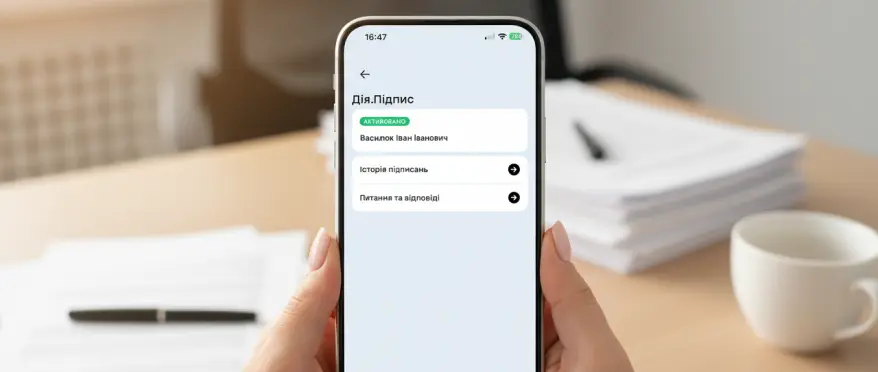
Diia.Signature – the fastest option
What you need:
- The Diia app installed on your phone
- ID card or biometric international passport (issued after 2015)
Step-by-step instructions:
- Step: Open Diia → section “Diia.Signature” → “Create”
- Step: Verify your identity via selfie
- Step: Create a 5-digit PIN code
- Step: Done!
Diia.Signature is a full-fledged QES, but it is “cloud-based” and activated only through the app.
AES via Privat24 – for Business and Reporting
This signature is more universal – suitable for reporting, contracts, and electronic document management.
What you need:
- Be a client of PrivatBank
- Have access to Privat24 (web version or mobile app)
Option A: File Key (standard AES)
- Step: Log in to Privat24 → All Services → Business → Download Certificate
- Step: Choose where to save the AES file
- Step: Create a password (minimum 8 characters)
- Step: Confirm the operation with the SMS code
- Step: Done! The file will be saved on your computer (name like pb_1234567890.jks)
Option B: SmartID (cloud signature)
This is a signature that “lives” on your phone. No need to carry a flash drive or install anything on your computer – everything works through the mobile app.
For individuals: Open the Privat24 app → select SmartID → create a password.
For sole proprietors / legal entities: Log in to Privat24 for Business (web version) → Open the side menu → Click “Settings” → select SmartID “Generate SmartID” → Enter a password for SmartID.
Detailed instructions are available here. SmartID works in both the web version and the mobile app. You can even sign payments while on vacation at the beach.
MonoQES – directly in the app in 2 minutes
Since 2025, Monobank has introduced its own QES, which can be created directly in the app.
For personal use (individual): in the “More” menu, select monoQES
For sole proprietors / businesses: in the “Profile” menu, in the sole proprietor or legal entity section, select monoQES
Next: confirm → take a selfie → create a password → done!
MonoQES lives in the app, but it can also be downloaded to your computer and used in other services for signing documents, authorizations, etc. By the way, the bank will remind you when it’s time to renew it.
Have you obtained an AES but are not sure how to use it correctly?
We will take care of everything – from setting up your accounting system to reporting and tax control.
Guide – How to Sign Any Document with a QES
The most common question after receiving a QES is: “Okay, I have this USB token and a password… what do I actually do with it?”
In reality, there are several ways to sign a document, depending on where you work and what is more convenient for you. Let’s go through all the options.
Option 1: Signing via dedicated software
This is the classic method where you install a program on your computer that allows you to sign any files. Popular signing programs include IIT User CA, M.E.Doc. Usually, the certification center provides you with a disk or a download link for the software when you receive the token.
How to sign?
Install the program → insert the token into USB → open the program and load the key (enter the password) → select the file to sign → click “Sign”.
What will you get? Depending on the settings, you may receive:
- A separate signature file (for example, contract.pdf.p7s) – it must be sent together with the original document
- A signed document (a file with an embedded signature, for example contract_signed.pdf)
Important: some systems require a separate signature file, others require an embedded one. уточніть у того, кому відправляєте документ.
Option 2: Signing via web services
If you do not want to install programs on your computer or you are working from someone else’s laptop – there are online services:
your ACSC web portal, Vchasno, Privat24 and online banking systems of other banks.
How it works: Go to the website → insert the token → upload the document → sign → enter the password → download the signed file back.
Pros: no need to install anything, works from any computer.
Cons: requires internet, not all services are free.
Option 3: Signing within electronic document management systems
If you work in systems such as M.E.Doc, Vchasno, SMARTFIN, etc. – the signing function is already built in.
How it works: Create the document → click “Sign” → the system automatically detects your token → enter the password → done.
Everything in one place, no need to export files and sign them separately.
What can you sign?
A QES can be applied to almost any file: PDF, Word (.doc, .docx), Excel (.xls, .xlsx), images (.jpg, .png), XML (for reporting), archives (.zip, .rar), and even text files (.txt).
There are almost no limitations. The main thing is that the system where you submit the document can verify the signature.
How to Verify a Document Signed with a QES
You received a signed contract – but are you sure it was actually signed by the counterparty? Without verification, you are taking a risk. Imagine signing a deal worth 500,000 and later discovering that the signature was fake or the document was altered after signing.
Always verify electronic signatures before signing on your side or transferring money.
Verification via czo.gov.ua (official government service)
This is the simplest and most reliable method. The service is free, works online, and requires no installation.
Open czo.gov.ua → upload the signed document (if the signature is in a separate .p7s file, upload both files) → click “Verify” → wait 3-5 seconds.
What to check in the verification results:
1. Verification status: “Signature valid” – everything is OK, or “Signature invalid” (something is wrong).
2. Storage type: “Secure” (QES on a token) or “Unsecured” (AES). For serious agreements, QES is preferable.
3. Signature type: “Qualified Electronic Signature” – QES or “Advanced Electronic Signature” – AES.
4. Certificate: it must be a “Qualified certificate”; otherwise, the signature has no legal force.
5. Signature holder details: full name, position, organization. Compare them with the contract – if they do not match, this is a red flag.
6. Certificate validity period: the document must be signed BEFORE the certificate expires. If the certificate expired on 15.10.2025 and the contract was signed on 20.10.2025 – it is invalid.
Verification via dedicated software
If you use IIT, Krypton, or Almaz – you can verify the signature there.
Open the program → “Verify signature” → select the file → review the result.
It is fast and does not require internet, but there is a downside – you need to have the software installed.
Verification in document management systems
If you work in electronic document management systems (Vchasno, SMARTFIN, M.E.Doc, etc.), they automatically verify signatures when documents are received.
How it looks:
- You receive the document in the system
- A signature icon appears next to the document (usually a green checkmark or a red cross)
- You click on the icon – and see the details: who signed it, when, and whether the signature is valid.
Situation: Your company signed an agreement with a new supplier for 300,000 UAH. The supplier sent the signed contract electronically. You have never worked with them before, so you want to be cautious.
What to do: Upload it to czo.gov.ua → “Signature valid”, QES, full name matches, validity period OK. Additionally, check the company in the Unified State Register. Everything is clean – you can proceed with the cooperation.
Why is this critically important?
Imagine this situation: you transferred an advance payment of 200,000 under a contract supposedly signed by the counterparty’s director. And then it turns out that:
- The signature was forged
- Or the certificate was no longer valid at the time of signing
- Or someone changed the contract amount after it was signed
In court, such a contract will have no legal force. And you have already transferred the money.
Verification takes 2 minutes and can save you hundreds of thousands of hryvnias.
FAQ: key points in brief
What can you do with a QES
- submit reports and declarations online via M.E.Doc, Privat24 or other services;
- sign contracts and acts with clients and counterparties remotely – even with foreign partners;
- participate in Prozorro tenders and conclude agreements online;
- register a sole proprietorship or LLC, change business activity codes, update statutory data;
- sign banking documents (accounts, loans, guarantees);
- manage electronic document flow and verify counterparties in the Unified State Register;
- for Diia.City residents – conclude gig contracts and submit documents for employee reservation.
Validity period of a QES and how to renew it
The validity period is usually from 1 to 2 years. It cannot be extended – once it expires, you must obtain a new signature (submit a new application to the ACSC, pay the fee, receive a new token).
What to do if you lose the token/password
It cannot be restored – you will need to obtain a new electronic digital signature.
Block the certificate at your ACSC → generate a new one → inform counterparties about the certificate change.
How many signatures can one person have
As many as you want! One entrepreneur can have even 10 different electronic signatures – there are no restrictions.
Can you sign documents from a smartphone
Yes! And this is not science fiction. That is exactly why electronic signatures were created. For most daily tasks (reporting, payments, contracts) – a smartphone is enough. For tenders and working with government authorities – you need a computer with a token.
How many QES are required for a legal entity?
Usually separately for the director, the accountant (if needed), and sometimes for authorized persons responsible for specific business processes.
Conclusion
An electronic signature in 2026 is no longer a luxury but a basic tool for survival and business development in a digital state. The choice between a token-based QES and a “cloud” AES depends solely on your tasks.
Remember: obtaining a QES is only 50% of the job. The key itself does not create the magic of remote work. To fully exchange acts and contracts with counterparties in one click, we recommend using specialized electronic document management (EDM) platforms such as Vchasno, M.E.Doc, or Paperless. This will allow you not just to “sign files” but to build transparent and fast business processes without paper or couriers.
Is it difficult to figure it out on your own?
Contact professionals – we will set up your accounting correctly from the very first time.