

How to choose, add or change NACE codes for sole proprietors (FOP) in Ukraine – without fines and additional taxes? Prohibited NACE codes for FOP.

Choosing the right KVED is one of the key conditions for a sole proprietor in Ukraine (a FOP – Ukraine’s sole-proprietorship status) to operate successfully. This activity code determines whether you can legally accept payments, stay on the simplified flat-rate “single tax” regime, and avoid unpleasant notices from the tax authority. Picking the wrong code – or failing to add the one you actually need – can result in up to 23% in additional taxes or even fines.
In this article, I’ll explain what a KVED is (Ukraine’s industry classification code, similar to NAICS in the U.S.), which codes are allowed for different FOP groups, how to choose the right business activities, and – step by step – how to add or change your KVED through Diia, Ukraine’s e-government portal, with minimal paperwork and cost.
Do you have a registered sole proprietorship (FOP), but your business has changed direction and you need to update your NACE codes? Did you accept payment only to find out later that you don’t have the right NACE code? Or maybe you are just opening an FOP and don’t know which NACE codes to choose? In fact, mistakes with NACE codes are among the most common. And the risk of receiving a “tax letter of happiness” or an additional 23% tax charge is no exception. But this can be avoided if you know a few simple life hacks. In this article, we will figure out what a NACE code is, where to find them, and how to add or change them on your own quickly and without unnecessary costs.
What is NACE?
Let’s first figure out what NACE is. Simply put – it’s a kind of “barcode” for your business.
On our channel there are two videos on this topic. Leave a comment under them with the word “NACE” and you will receive a free checklist for each FOP group with NACE codes. This will help you correctly select a code for your activity and avoid mistakes.
It shows the tax office what you do and what you earn money from.
As of 2026, all NACE codes consist of four digits, separated by a dot. For example:
- 47.91 – retail sale via mail order houses or via Internet;
- 62.01 – computer programming;
- If you are engaged in web design – your NACE code is 74.10 “Specialized design activities”;
- If you are a hairdresser – then 96.02 “Hairdressing and other beauty treatment”;
- Selling online – 47.91 “Retail sale via mail order houses or via Internet”.
Important point – registering just under “62” or “62.0” will not work, these are only general sections for easier search. In total, the classifier offers over 600 codes – and it depends on your choice whether you can work calmly without issues with the tax office. Mistakes at the start are common: forgetting to add the right NACE code if you work in a different field – you can easily get a “letter of happiness” from the tax office with an additional tax assessment of 23%. You can avoid this if you know a few simple tips. And choose correctly right away.
Important: from January 1, 2027, Ukraine will switch from the KVED classification to the new NACE 2.1 classification. For most sole proprietors (FOPs), the codes will be updated automatically, while their tax group and tax rate will remain unchanged. However, it is important to keep track of updates. Read more in our article about NACE 2.1.
How many NACE codes can you have?
You can add any number of KVED codes to your sole proprietor registration, even if they relate to completely different activities. For example, you may include “website development”, “cleaning services”, and “office supplies retail”. This is entirely legal. You can run several types of business at the same time or keep some KVED codes for future use. However, there is one important rule: you may only accept payments for activities covered by your registered KVED codes. For example, if you receive payment for “car repairs”, but your only registered activity is “design services”, this may cause problems, and the consequences depend on your tax group. For Groups 1 and 2, income received from an unregistered type of activity is subject to a 15% single tax rate. For Group 3, there is no automatic exclusion from the simplified taxation system, but the tax authorities may treat such income as ordinary personal income – subject to 18% personal income tax and a 5% military levy, totalling 23%. Therefore, the simplest solution is to add the required KVED code in advance.
One nuance. When registering an FOP, you must choose one primary NACE code – this is the “main” one. All others are just additional. Many entrepreneurs get confused: if the business direction changes, they think they need to urgently replace the main NACE code. But in fact – no. For example, if your main code was “advertising services,” and you later launched an online store, it’s enough to just add NACE code “online retail” – and that’s it, no fines. The main code can remain old, it only affects statistics. The tax office looks not at which code is your main one, but which one you actually use to receive income.
The key point is to have the correct NACE code in your list. And which one is primary – is not that important for the tax office.
By the way, if you are only planning to register as a sole proprietor (FOP) – our specialists will help you select the correct NACE codes and choose the right tax group. We also provide bookkeeping services for FOPs and LLCs under any tax system, even if excise goods are involved. Contact us – we’ll help you avoid mistakes and unnecessary taxes.
Accepted payment for an activity without a NACE code. What happens?
Clients often ask what happens if they accept payment for an activity that is not covered by their registered KVED codes. If the tax authorities discover that you received money for an activity not included in your KVED codes, this income may not be recognised as business income. For Groups 1 and 2, a 15% single tax rate will then apply. For Group 3, such income may be taxed as the income of an ordinary individual – 18% personal income tax and a 5% military levy, totalling 23%. And these are only the minimum consequences. This is a very unpleasant situation, so here is a simple tip from our accountants to help you avoid it.
If a client plans to pay you for a service that is not included in your NACE codes, just add the appropriate NACE code today. And ask the client to pay tomorrow. This is official, fast, and risk-free.
Would you like to consult with a specialist as soon as possible?
Leave a request, and our specialist will contact you shortly.
How to choose NACE codes?
Before choosing a NACE code, clearly determine:
- in which field you will work;
- what is your main business activity;
- what additional services or goods you plan to sell;
- whether you will have employees, and how many;
- where exactly you will work – only in Ukraine or also with foreign clients.
Prohibited NACE codes for sole proprietors (FOP)
Only after you have identified your business activity, it is worth checking whether the chosen types of activity are not prohibited for your group of sole proprietors (FOP) and chosen taxation system. For example, some NACE codes, such as currency exchange, financial services, or gambling business, are strictly prohibited under the simplified taxation system. Therefore, choose carefully to save yourself time, money, and stress!
For sole proprietors (FOPs) who have chosen the simplified taxation system, the following types of activities are also unavailable:
- – organization of tours and concerts;
- – sale of lotteries, holding of drawings;
- – slot machines, online casinos, sports betting;
- – provision of postal services;
- – activities related to precious stones and precious metals;
- – extraction and sale of minerals;
- – sale of excisable goods;
- – organization of companies that provide services in the field of auditing;
- – trade in securities.
In addition, a sole proprietor (FOP) cannot engage in certain types of activities because they require legal entity status or a separate licence. For example:
- – establishing financial institutions, such as banks, insurance companies, and pawnshops;
- – secondary or higher education institutions;
- – television and radio broadcasting.
Some activities, such as scrap metal operations or certain construction works, are subject to special licensing requirements, so they should be checked separately.
FOP group 1: types of activities
A sole proprietor in the first group may provide services to the population and sell goods at retail, but without hired employees. An important nuance: those working under the single tax in group 1 are not allowed to engage in wholesale trade! In the NACE classifier, retail trade has code 47, and wholesale – 46, so pay attention when choosing a code.
For Group 1, the permitted types of activity are household services provided to individuals and the retail sale of goods from trading places at markets.
FOP group 2: types of activities
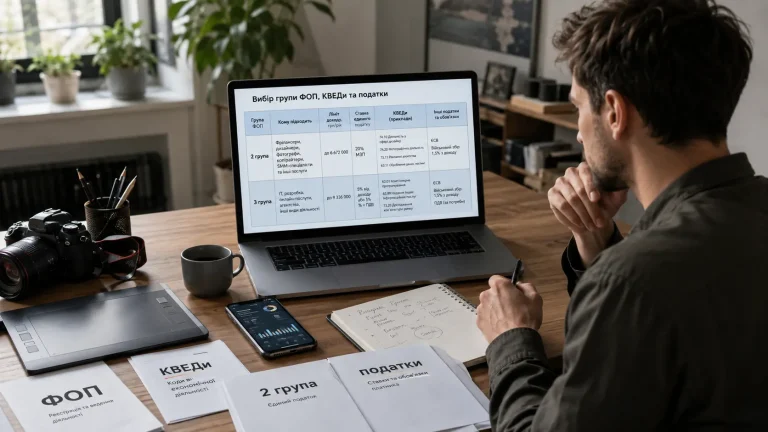
For sole proprietors in group 2, the range of permitted activities is much broader. They can trade in specialized stores, engage in finance, and provide various services. If you run an online store, then you belong to group 2 and use NACE codes 47.91, 47.71.
FOP group 3: types of activities
As for group 3, the list of types of activities is not limited. That means the entrepreneur can engage in any legal activity. You’re a blogger – your NACE codes are 63.99, 70.21, 73.11. However, a single tax payer should remain cautious. Regardless of the group chosen, sole proprietors are still prohibited from engaging in activities that are restricted for those on the simplified taxation system. In addition, there are types of activities that are banned for simplified taxation, including group 3, so choosing such a NACE code means that this activity is also prohibited. This is described earlier in the article.
Ways to choose NACE codes
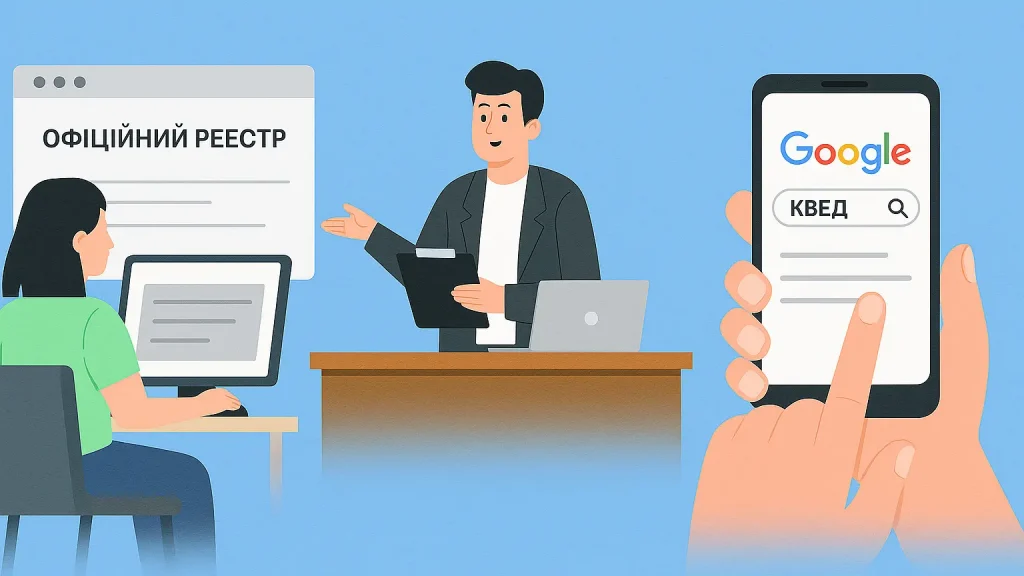
After you decide, you can calmly proceed to selecting NACE codes directly. There are several ways to do this.
The first – the official NACE register. There you can manually review all options and find the one that fits you.
The second – contact specialists. For example, services, registrars, or accountants who will select NACE codes for your business. However, this service is paid – from 500 to several thousand hryvnias.
And the third option – independent search in Google. Or check out our videos on YouTube – we have already gathered popular types of activities with their corresponding NACE codes. The easiest way – just type in the Google search bar: “NACE for tutor” or “NACE for web designer” and get the code.
How to add a NACE code through Diia?
It’s very simple to do. Instructions:
- Go to the “Diia” portal from your computer.
- Click “Log in to the account”. You can log in either with a file key or via “Diia.Signature” – just scan the QR code with your phone.
- Next, open the “Business Creation” section – this is the same section where you register a sole proprietor and make changes.
- Choose “Submit application”, check your data and go to the NACE codes section.
- Click “Edit” – and here you can add new ones, change the main one, or delete unnecessary ones.
For example, to add NACE 8559 (for tutoring) – just enter this number, select it, click “Add” and move on. Then re-check all the information and sign the application again, either with a key or via “Diia.Signature”.
That’s it. In a day or two, the NACE code will already appear in your registry.
How to change NACE codes?
What to do if, during your work, you come up with a new idea – and you want to expand your activity or try yourself in something new? Don’t worry: NACE codes can be changed and added at any time, even after registering as a sole proprietor, online, without involving a state registrar. On the Diia portal, it’s absolutely free. For this, you will need an electronic signature (EDS), the “Diia” portal, and the taxpayer’s electronic cabinet.
Instructions
Diia
- Log in to the “Diia” portal.
- In the “All services” section, select “Changes to sole proprietor”.
- Click “Submit application”.
- Choose “Edit” the types of economic activity (add or remove from the list those you need).
- Click edit and check (changes are added automatically).
- Next, you must sign the application before submitting changes. In the application, check item 5 “Changes to the register of single tax payers” regarding: (you need to check “X”) – “types of economic activity”.
- Verify the entered changes.
- Sign the application and submit it.
- Wait for an extract from the Unified State Register (USR). 1-2 days.
Electronic taxpayer’s cabinet
- Log in to the taxpayer’s electronic cabinet.
- In the section “Taxpayer’s accounting data” check whether the NACE code you added is in the current list, or whether the code you removed is no longer there.
- Make a request to receive an extract from the single tax payers register.
- Go to “Reporting”, select the required document, it will be filled in automatically, but it’s better to check. Add a note that YOU WANT TO RECEIVE THE RESPONSE IN ELECTRONIC FORM.
- In a few minutes, in the “Incoming documents” section, you will see the extract and find your added NACE codes there.
- Now you can officially receive income under this type of economic activity.
Conclusion
Remember: NACE is not just a formality. It is your legal protection. A properly chosen NACE code means legal income and minimum risks. Adding is simple, but if you are not sure, it’s better to ask. Contact the team of bukh. ua, and we will help you quickly and without unnecessary formalities.
To sum up:
Planning a new business direction? Add a NACE code before receiving payments to avoid additional 23% tax accruals.
It doesn’t matter which NACE is the main one – the important thing is that in the list there is the one by which you actually receive income.
Add all potentially necessary NACE codes. It’s free, their number is not limited and reduces future risks.
Changing or adding a NACE code can be done independently through the “Diia” portal. The process takes up to 10 minutes and does not require a visit to the registrar.
Before choosing, check the prohibited types of activities for your taxation system (simplified or general) and group.
If you have doubts – consult with specialists. This will help you avoid mistakes and financial risks.
Would you like to discuss cooperation in person?
Leave a request, and our specialists will call you as soon as possible